Transfer content using Content sync
Release date: 27th May 2026
Content sync is now available, making it simple to transfer content between Dynamic Content hubs. It automatically includes all referenced content - so your linked structures stay intact and consistent across environments.
Use sync when you want to:
- Promote new features and related content from development to test hubs, and on to production hubs
- Copy live production data to development or test hubs for building and testing new features safely
- Run stress tests against realistic datasets without affecting live content
Control sync by setting up mappingsLink copied!
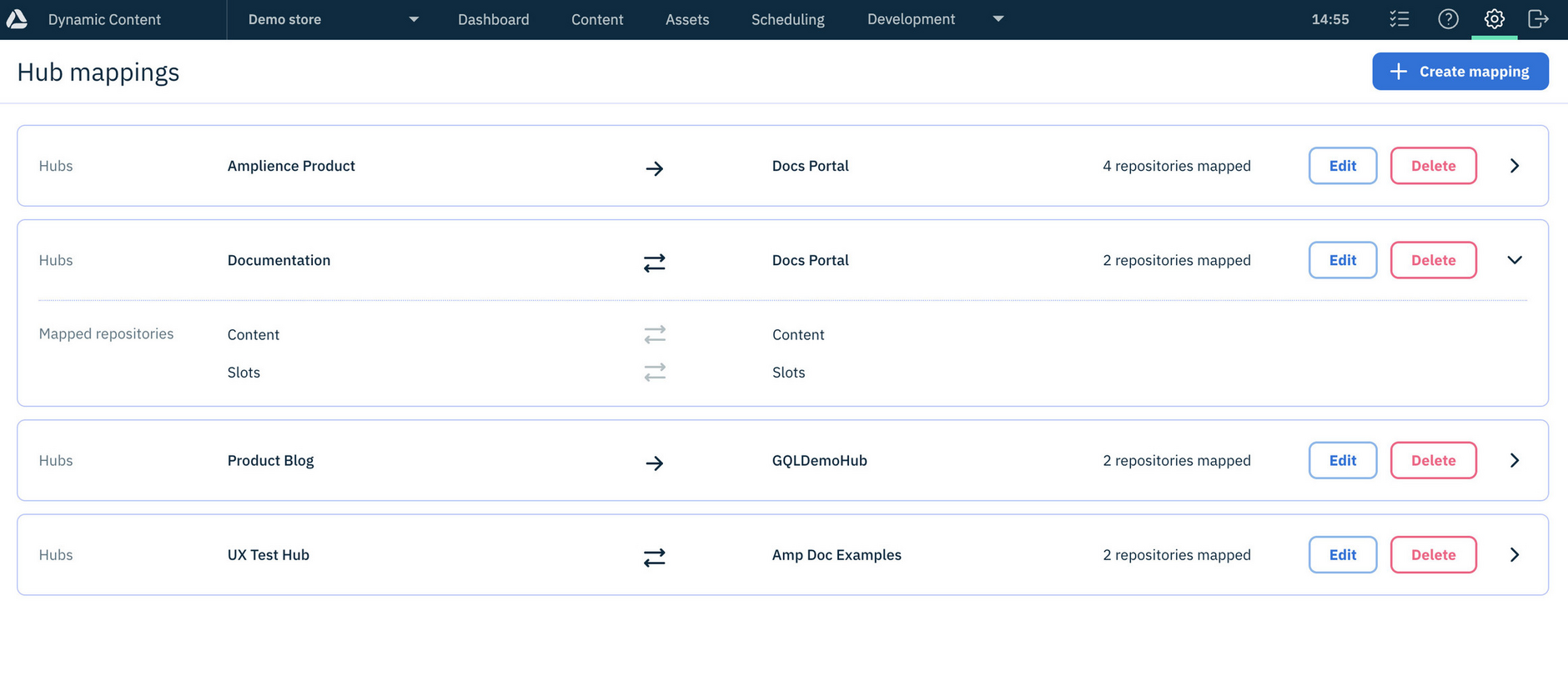
Sync works by using mappings between source and destination hubs, defining which repositories will sync and the direction of sync (one-way or two-way). You can set up and manage your own mappings. See Setting up content sync.
Sync content from Dynamic ContentLink copied!
Once mappings have been established, you can select up to 20 content items within Dynamic Content and sync them to repositories in other hubs - without the complexity of using the Command line tool.
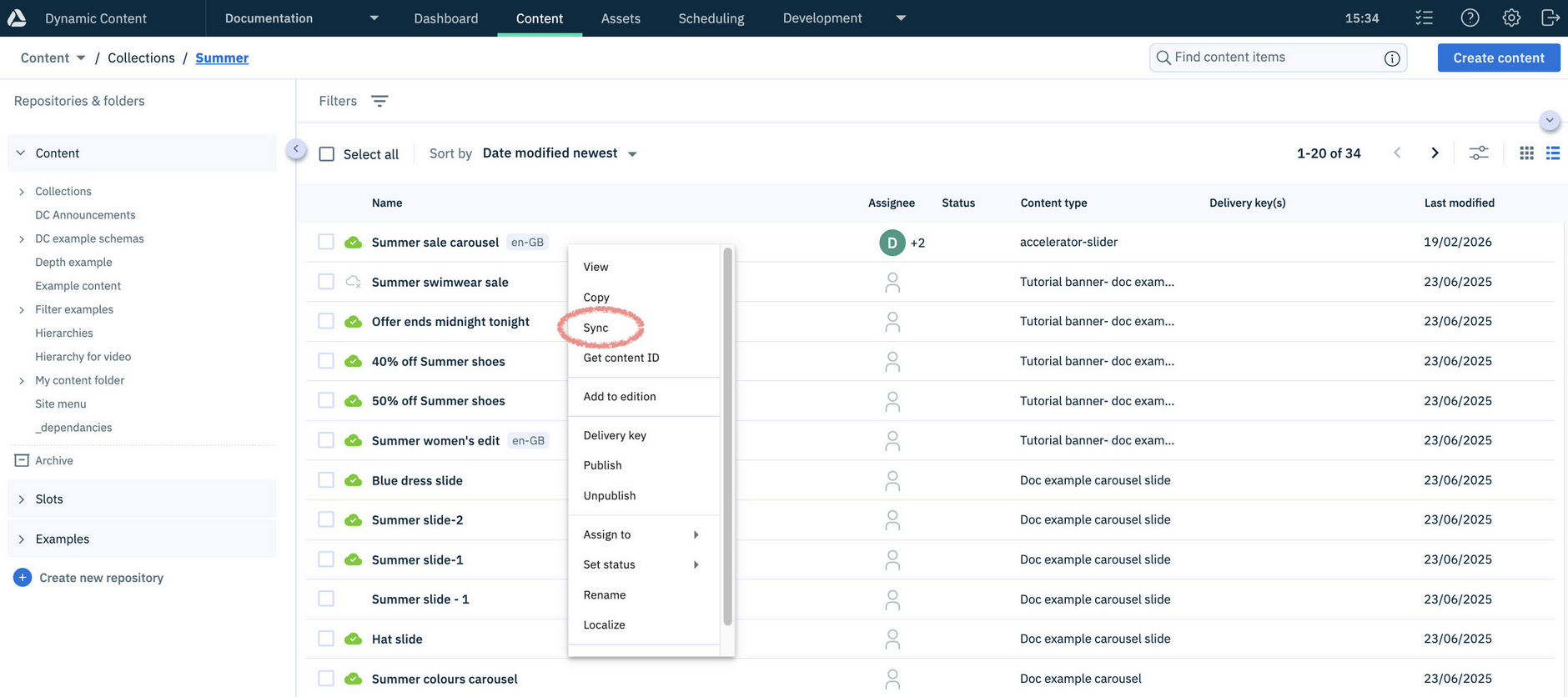
An initial sync transfers all selected content, and subsequent syncs can either transfer only updated items or overwrite the destination to match the source. Sync preserves relationships, locales and hierarchies between repositories across hubs.
Learn more about syncing content.
Check the status of sync jobsLink copied!
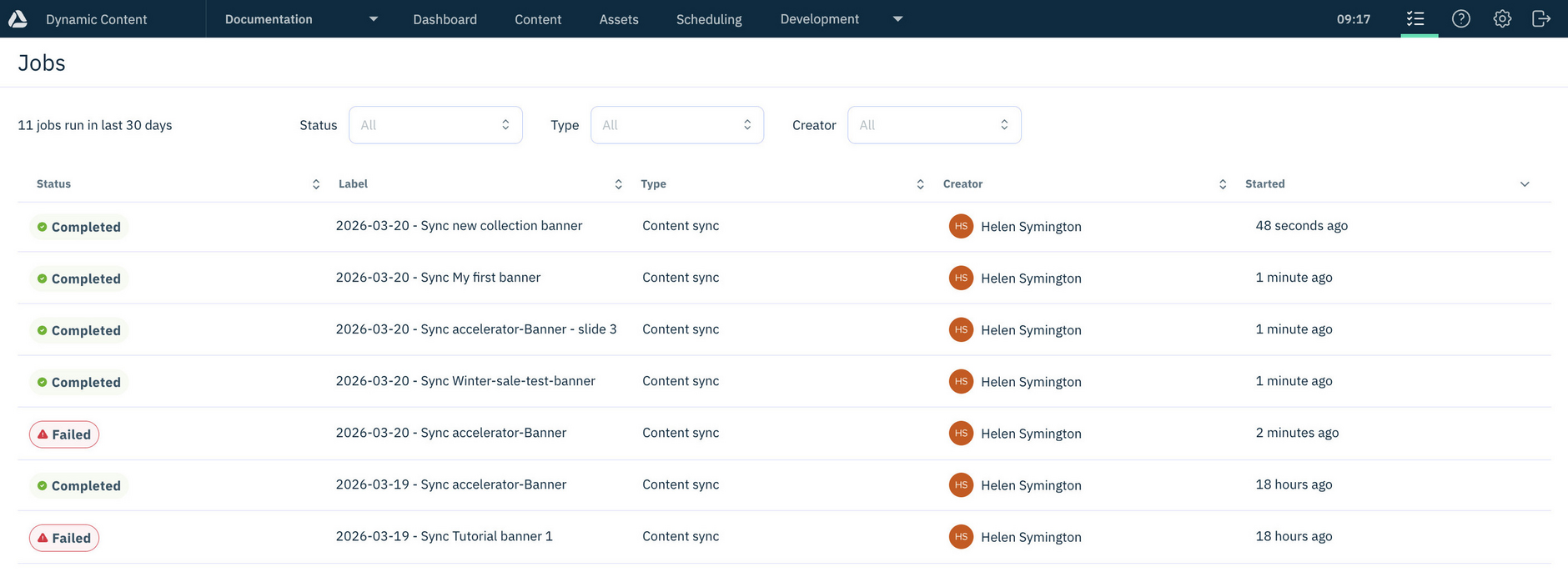
You can check the status of sync operations, in Dynamic Content by clicking the "Jobs" icon in the masthead.
Plan-based syncingLink copied!
Content sync is available as part of Dynamic Content with usage limits applied. For additional capabilities and higher allowances you can choose from different sync plans.
Your plan determines allowances such as the number of items you can sync each month, with higher plans providing greater capacity.