Localize content to folders
Release date: 17th June 2026
Localize content directly into corresponding Dynamic Content repository folders - removing the need to manually move content after localization, keeping your folder structures consistent automatically without extra effort.
Note
This is an optional feature available for content item level localization.
By default content item level localization behaves as before - placing newly localized content items into the top level of the destination repository.
How to localize content to foldersLink copied!
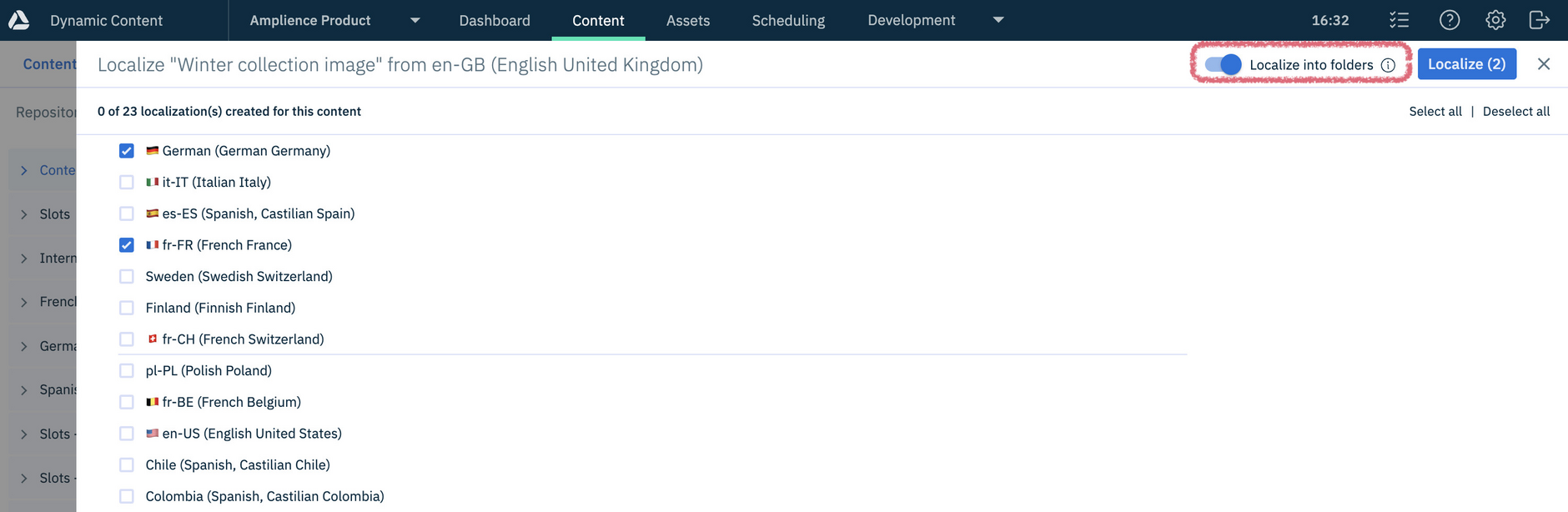
Localizing content to folders follows the existing content item localization process, with the addition of the "Localize into folders" option which places variants in folders that correspond to the original item's location, rather than at the top level of the repository.
In this example, the content item to be localized is in the "Winter collection" folder:
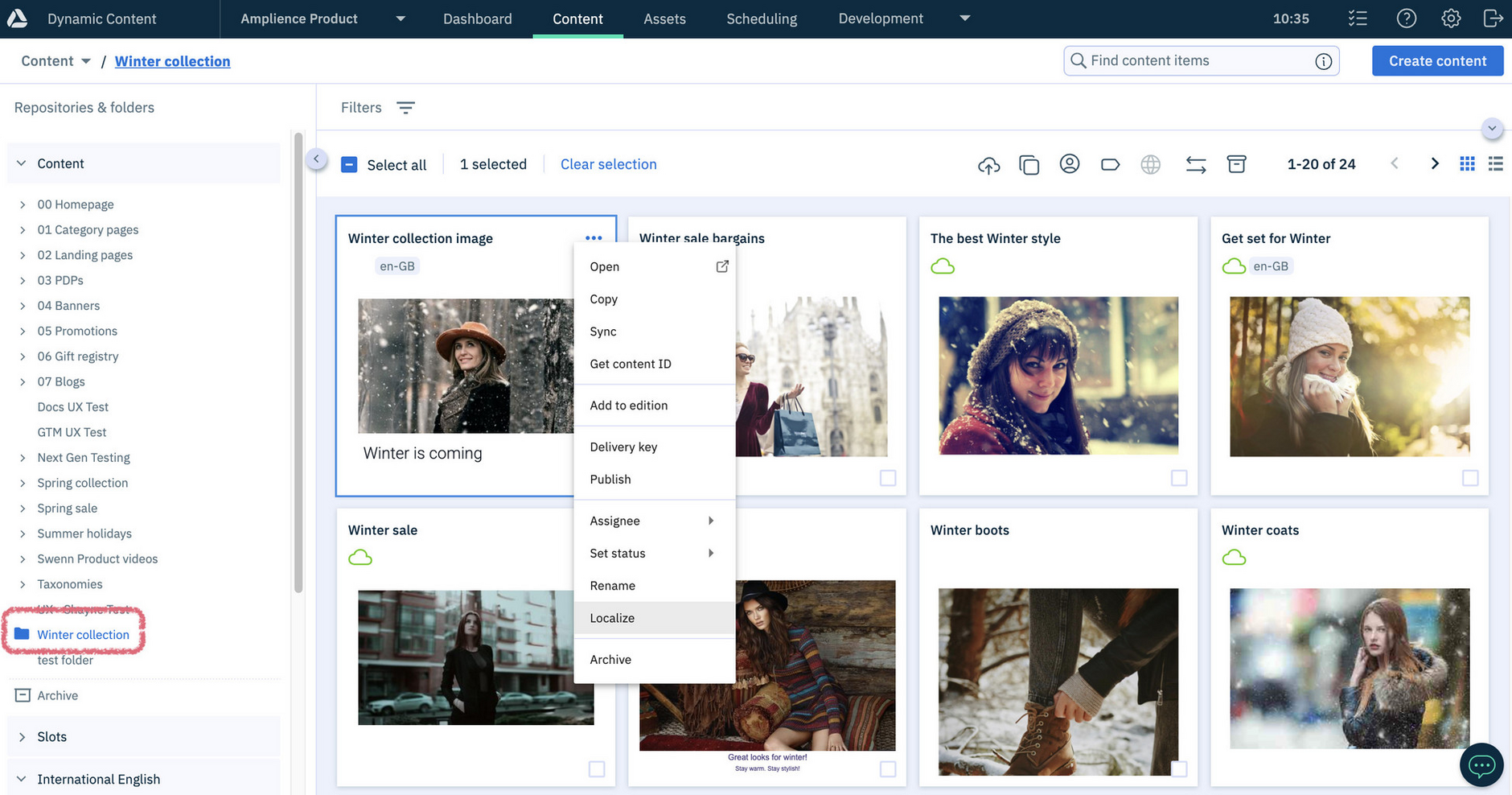
With "Localize into folders" turned on, variants will be created in the same folder as the original rather than at the top level:
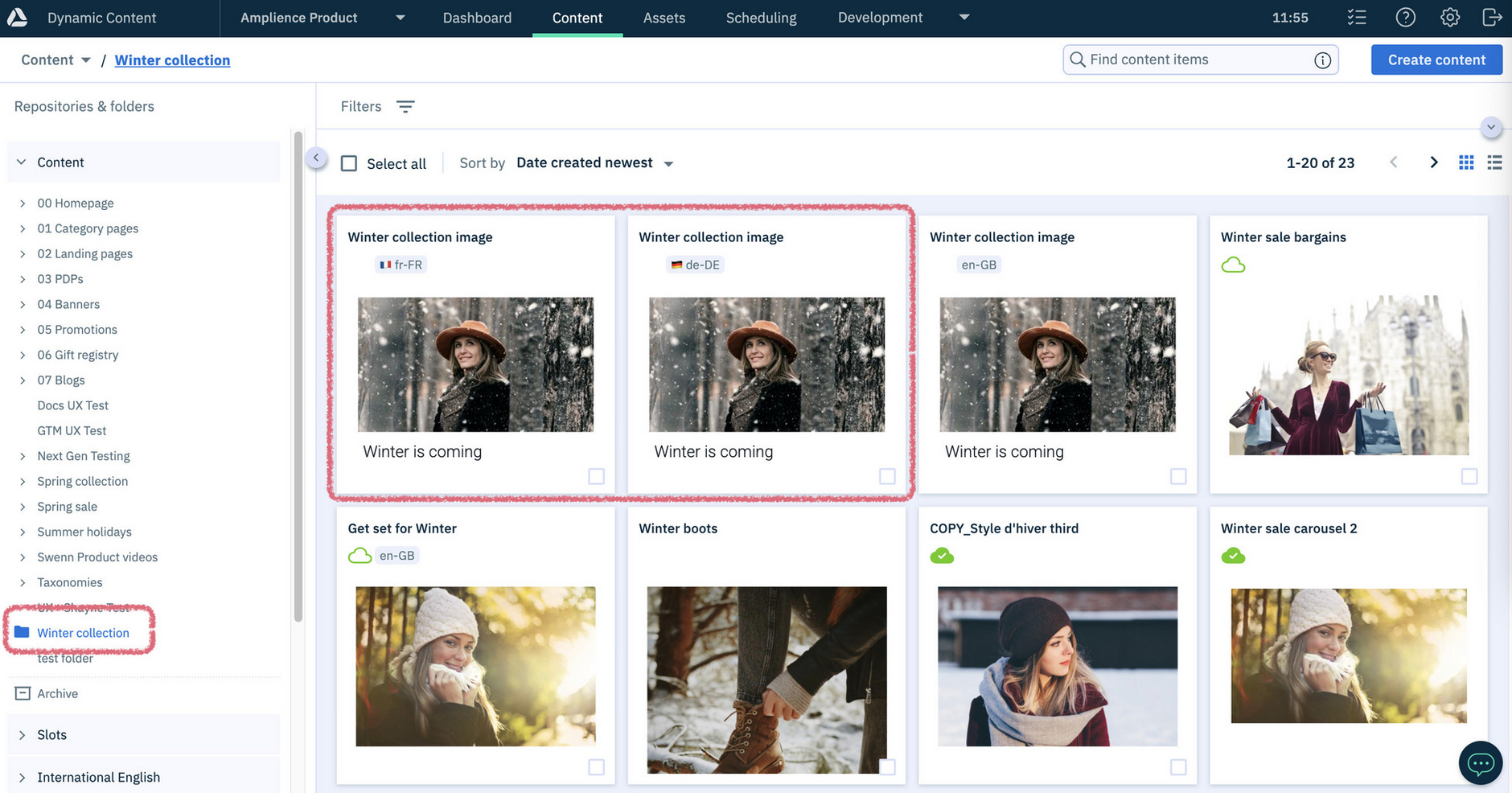
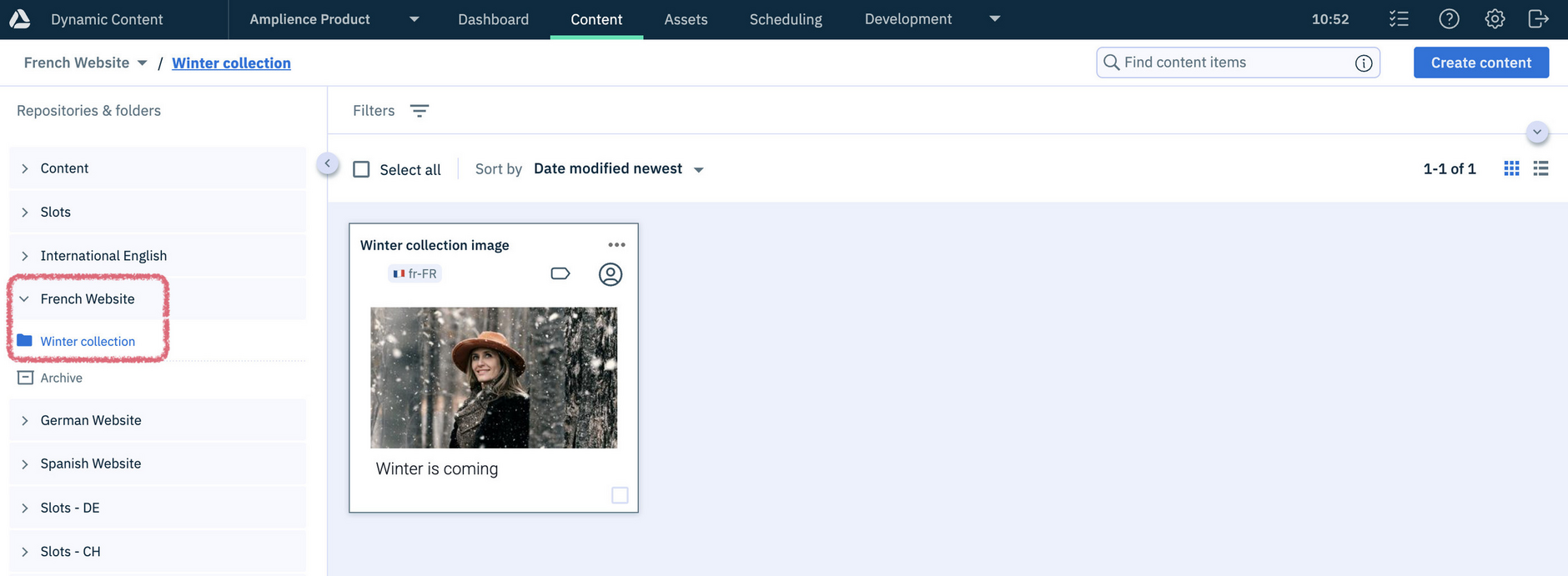
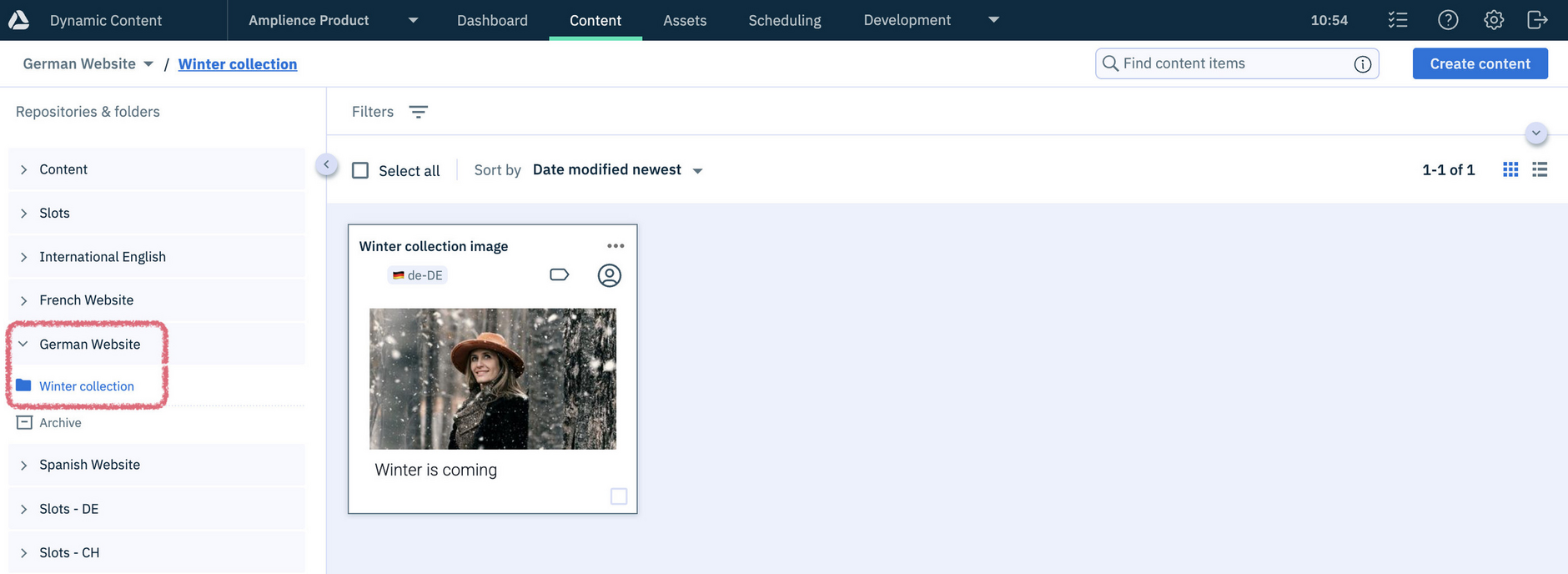
Once localized, the new variants appear in the "Winter collection" folder. Here, the original item has been localized into fr-FR and de-DE:
For more details see Localizing a content item.
Localizing with repository localization groupsLink copied!
When a repository localization group is used, enabling "Localize to folders" places localized variants in corresponding folders across each repository in the group.
For example, if the content is in a repository that belongs to a localization group with fr-FR and de-DE repositories, the new variants are created in the "Winter collection" folder in each repository:
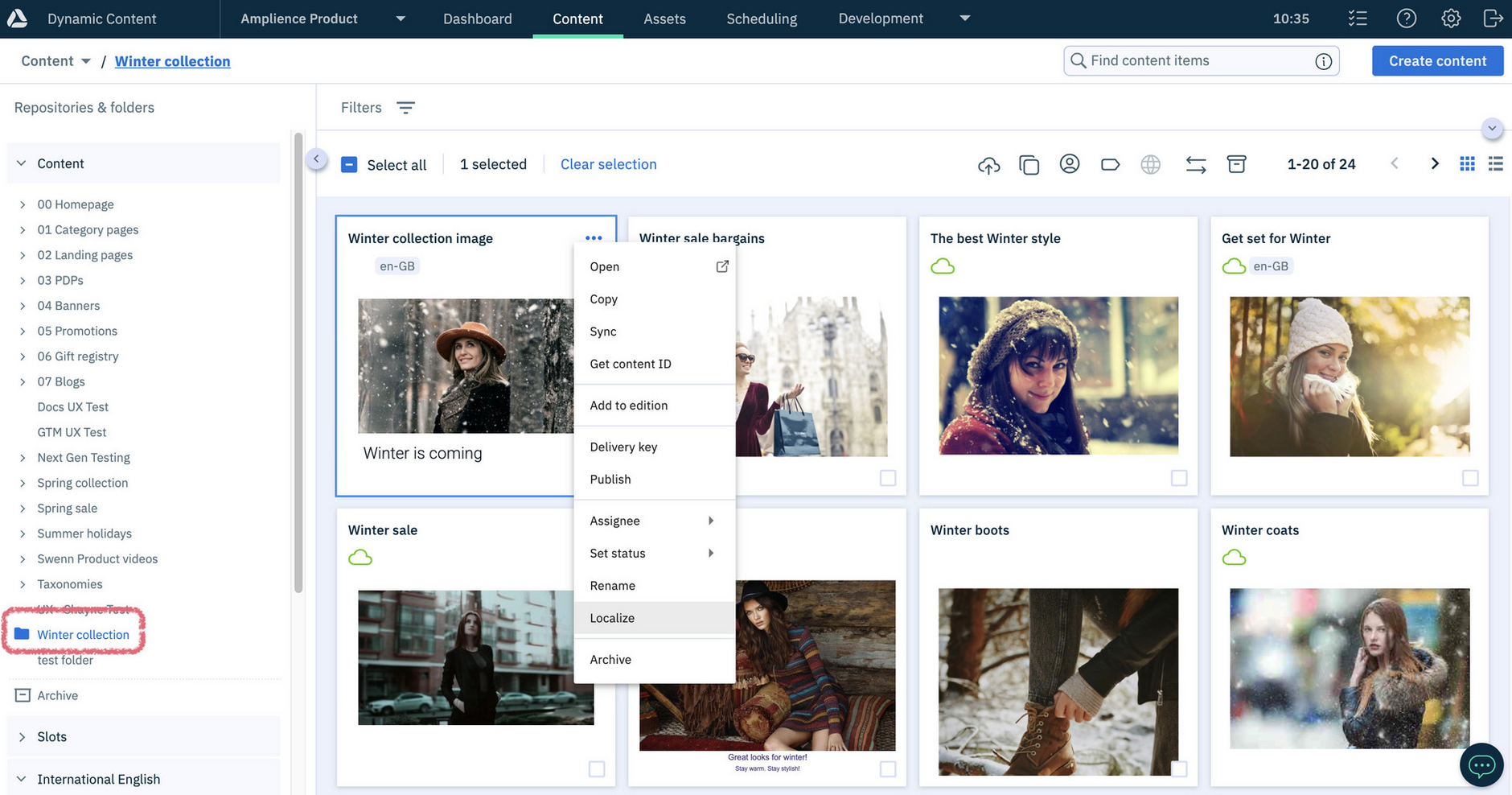
The fr-FR variant is created in the "Winter collection" folder in the French repository:
The de-DE variant is created in the "Winter collection" folder in the German repository:
Folders are created where necessary
If the matching folder doesn't exist in the destination repository, it's created automatically.