Dynamic Content, more context as you work
Release date: 15th July 2026
This release adds search for content by ID, plus more link and reference detail on content cards.
Also recently released:
-
The content library navigation pane is now resizable, so you can easily see full folder names
-
Repository name is now surfaced alongside repository label in the Settings page
Search for content by IDLink copied!
Find the exact content item you need by entering its ID along with the id parameter in the Dynamic Content library search bar.
For example, id:"c60ce7a5-9b3b-47fb-b9e1-1f318b831dc2"
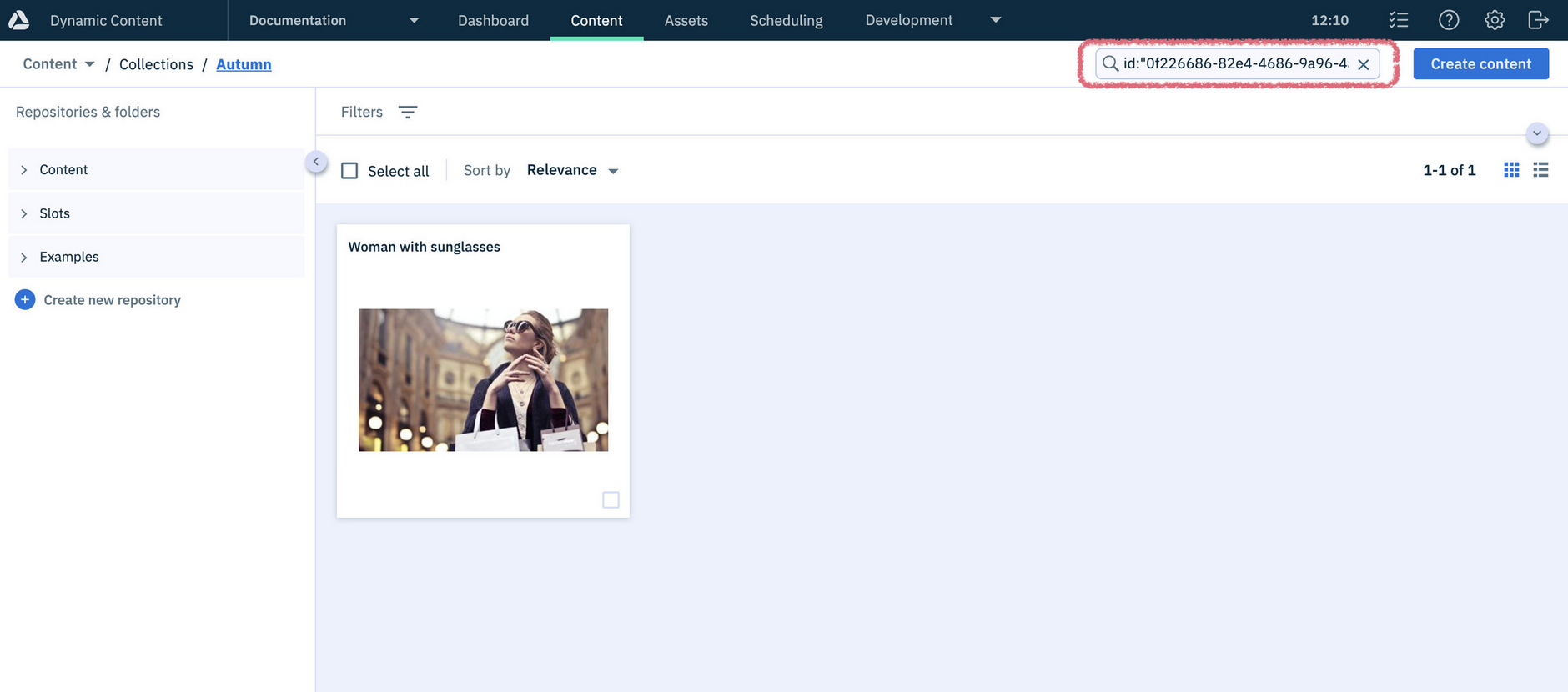
Searching without the id parameter returns that item along with all of its related content.
Learn more about Dynamic Content search parameters.
More detail on content cardsLink copied!
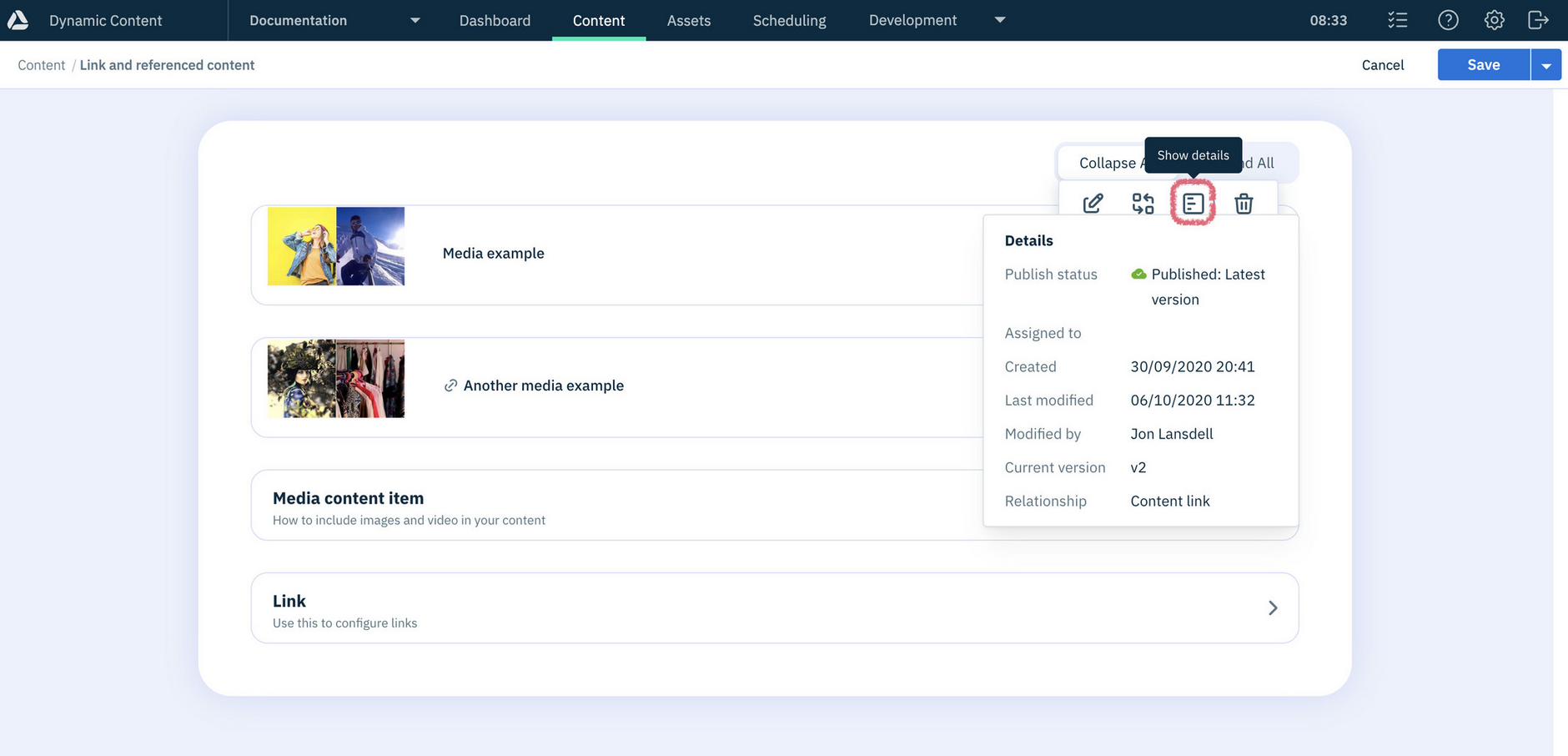
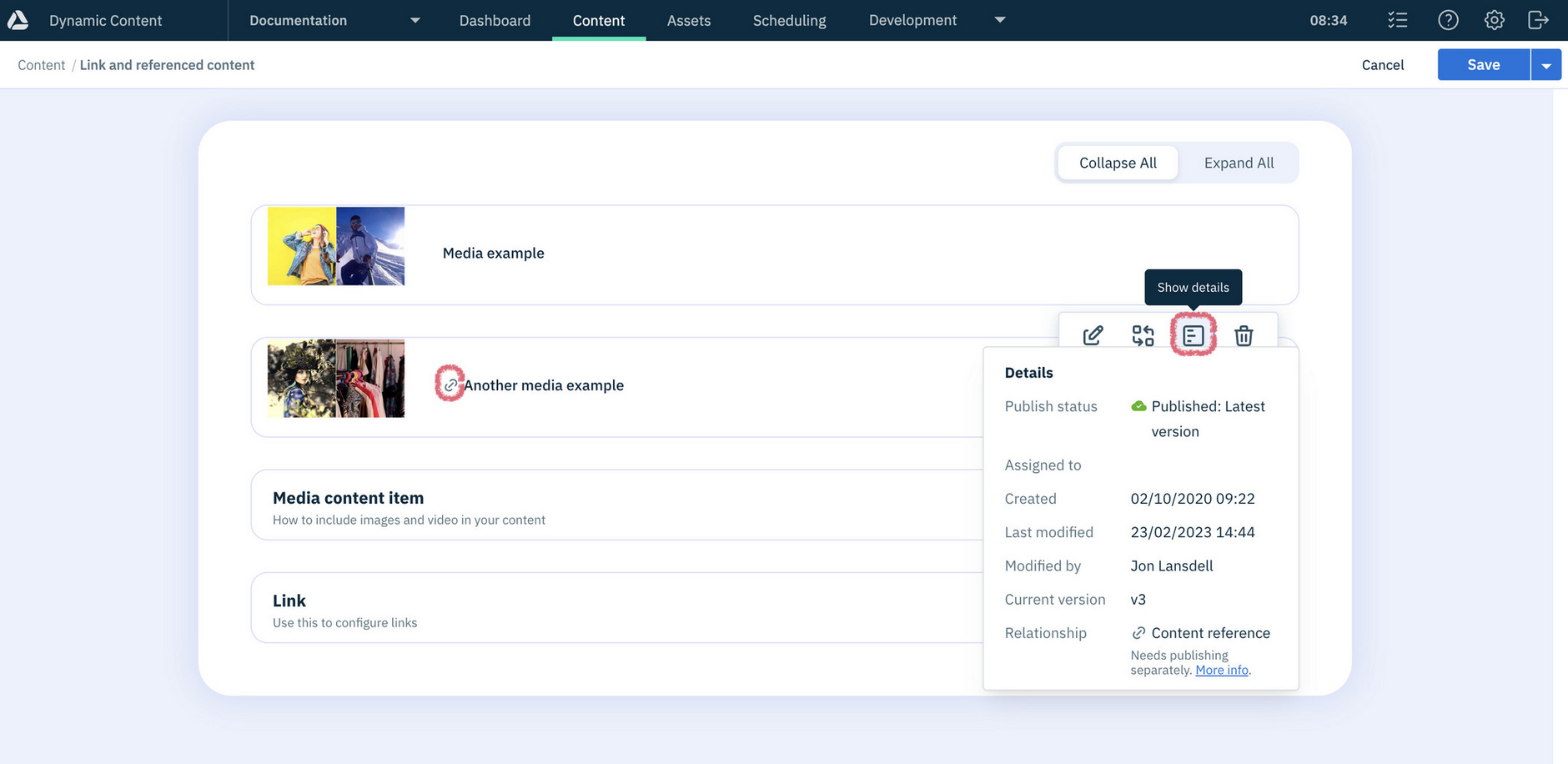
Use the new Show details option to instantly see whether content is linked or referenced.
Linked content shows the option in the card hover menu:
Referenced content is flagged with a new icon on the card, and gives the option to show details:
Learn more about linked and referenced content.
Full folder names in content libraryLink copied!
The content library navigation panel can now be dragged to adjust its width, making it easier to read long folder names without needing to hover or select a folder. Drag the right edge of the panel to resize it to your preferred width.
Repository names and labelsLink copied!
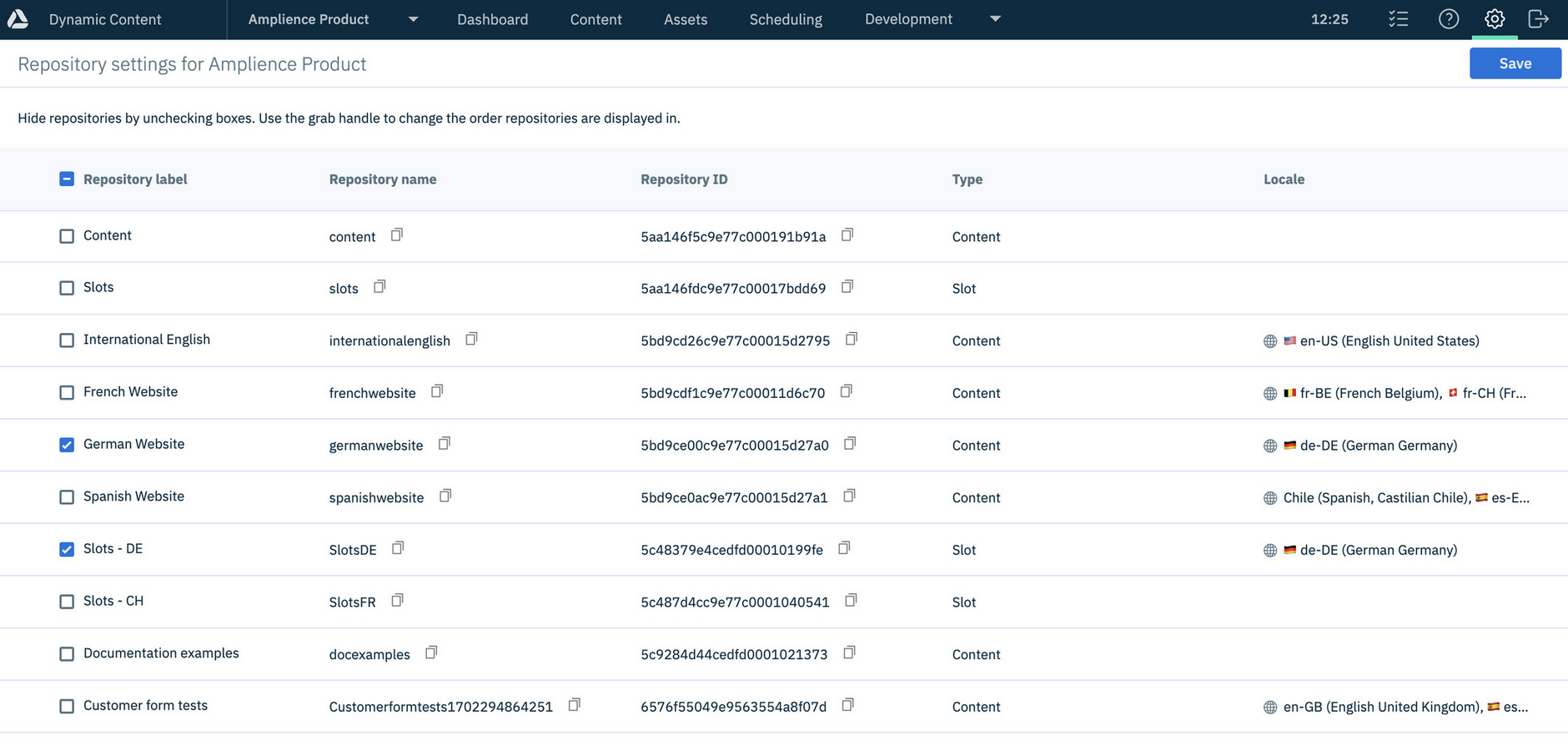
Repository name is now visible on the Settings page alongside repository label, and both terms are used consistently through Dynamic Content. A copy icon has also been added next to repository name.
More about Repository settings.