Field level localization enhancements
Release date: 4th August 2026
Two new Dynamic Content features make it easier to find the locales you need for field level localized content. Both bring the most relevant locales to the top of the picker, which helps when your hub has a large number of locales configured.
Repository based locale orderingLink copied!
Speed up locale selection for field level localized content by setting the picker to display locales relevant to the repository first. This helps most when your hub has a large number of locales configured but you only work with a small subset of them.
Each content team member chooses this for themselves. The setting applies only to their own view, so everyone can order the list to suit the way they work.
Choosing your locale orderLink copied!
To set the order of locale lists for field level localization, go to Settings > Properties and configure the Locale ordering property:
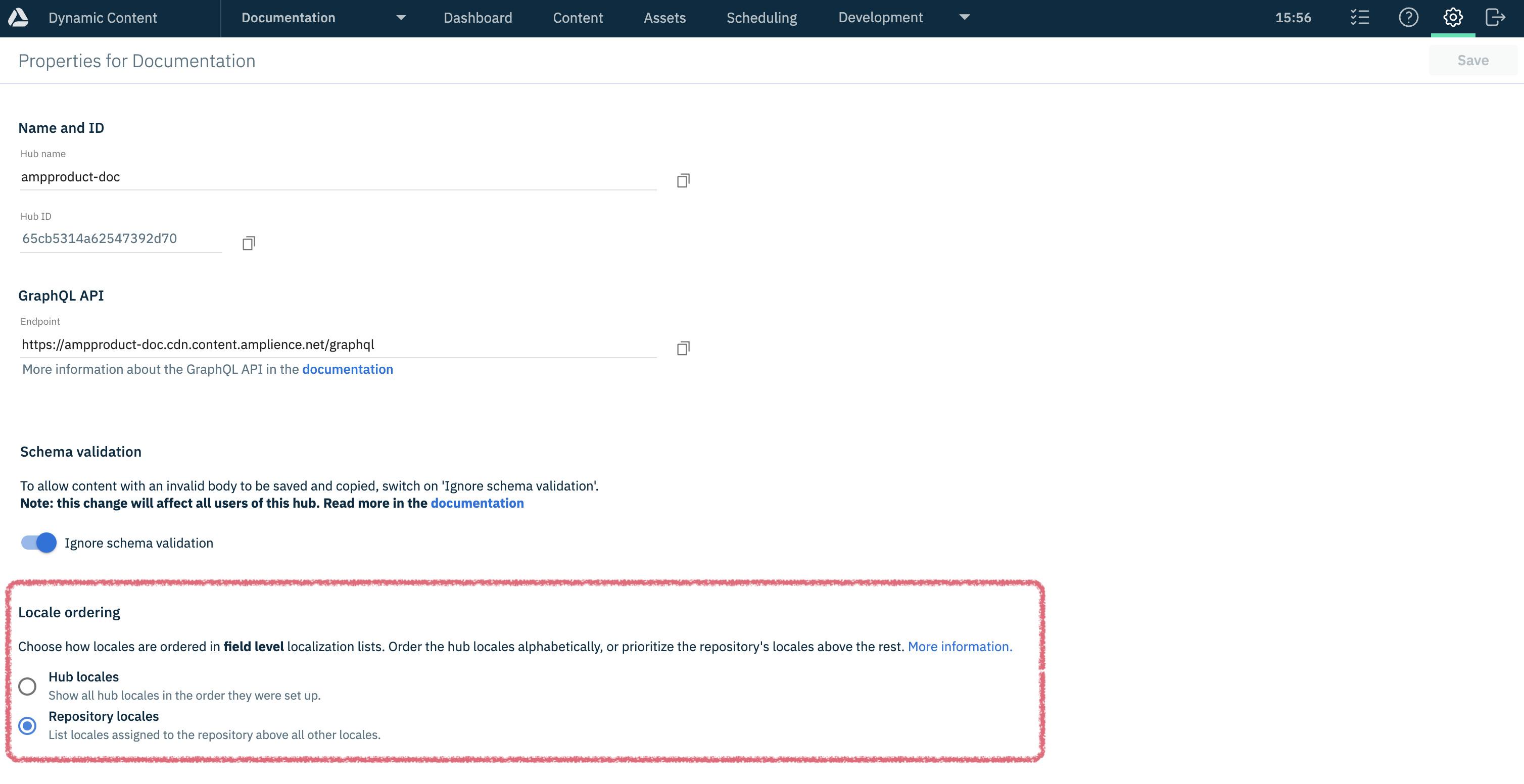
- Hub locales - Shows every locale in the order they are set up in the hub. This is the default.
- Repository locales - Shows locales assigned to the repository above all other locales.
See Dynamic Content hub settings.
How the locale list appears in the editing formLink copied!
With the Repository locales setting selected, the locales assigned to the current repository are displayed at the top of the locales list in the content editing form.
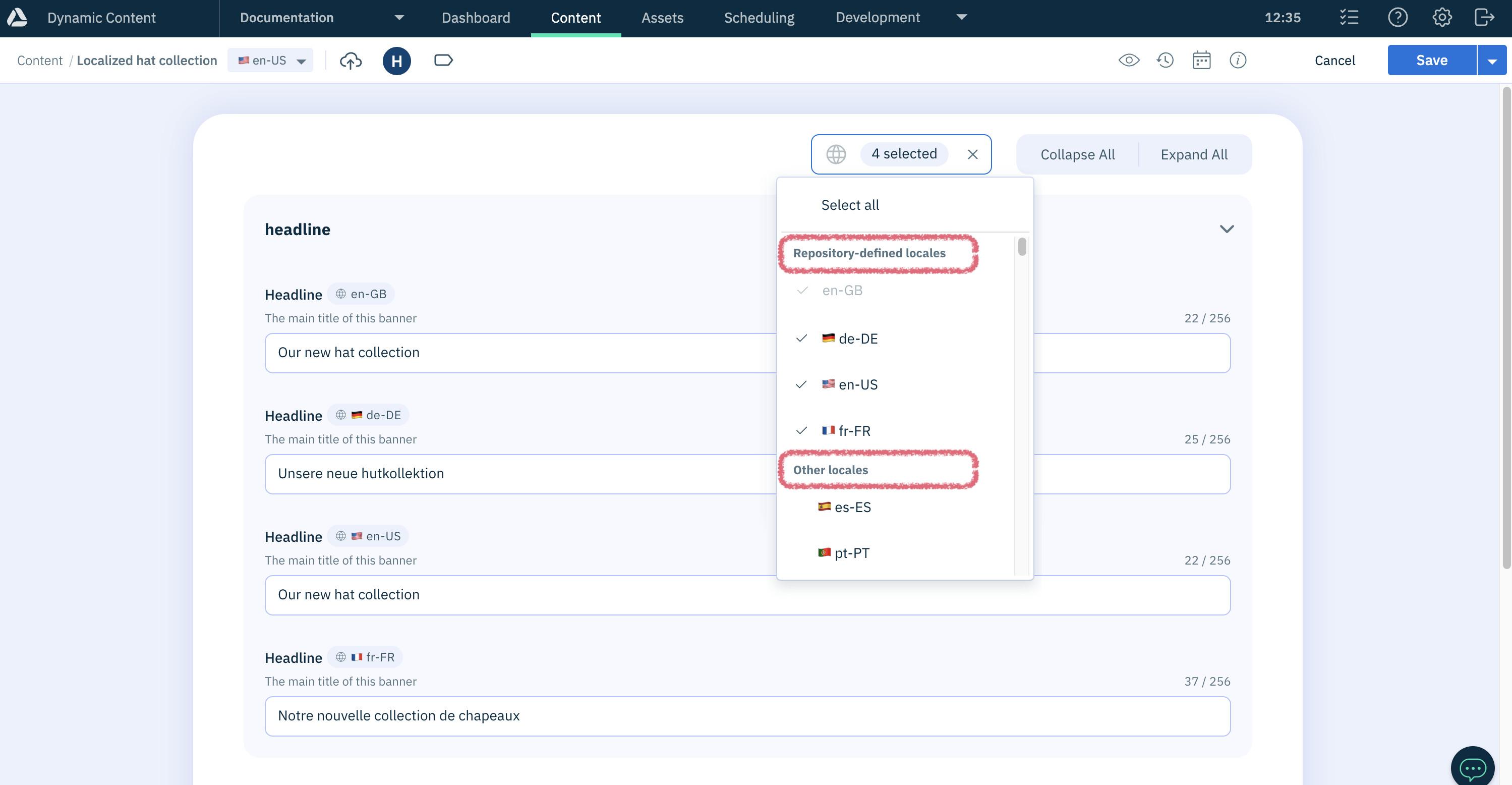
If the repository has no assigned locales and Repository locales is set, all hub locales are listed in their set up order instead.
For more information about filtering field level localized content, and ordering the locale list, see Filtering content using locales.
Enhanced localized value setLink copied!
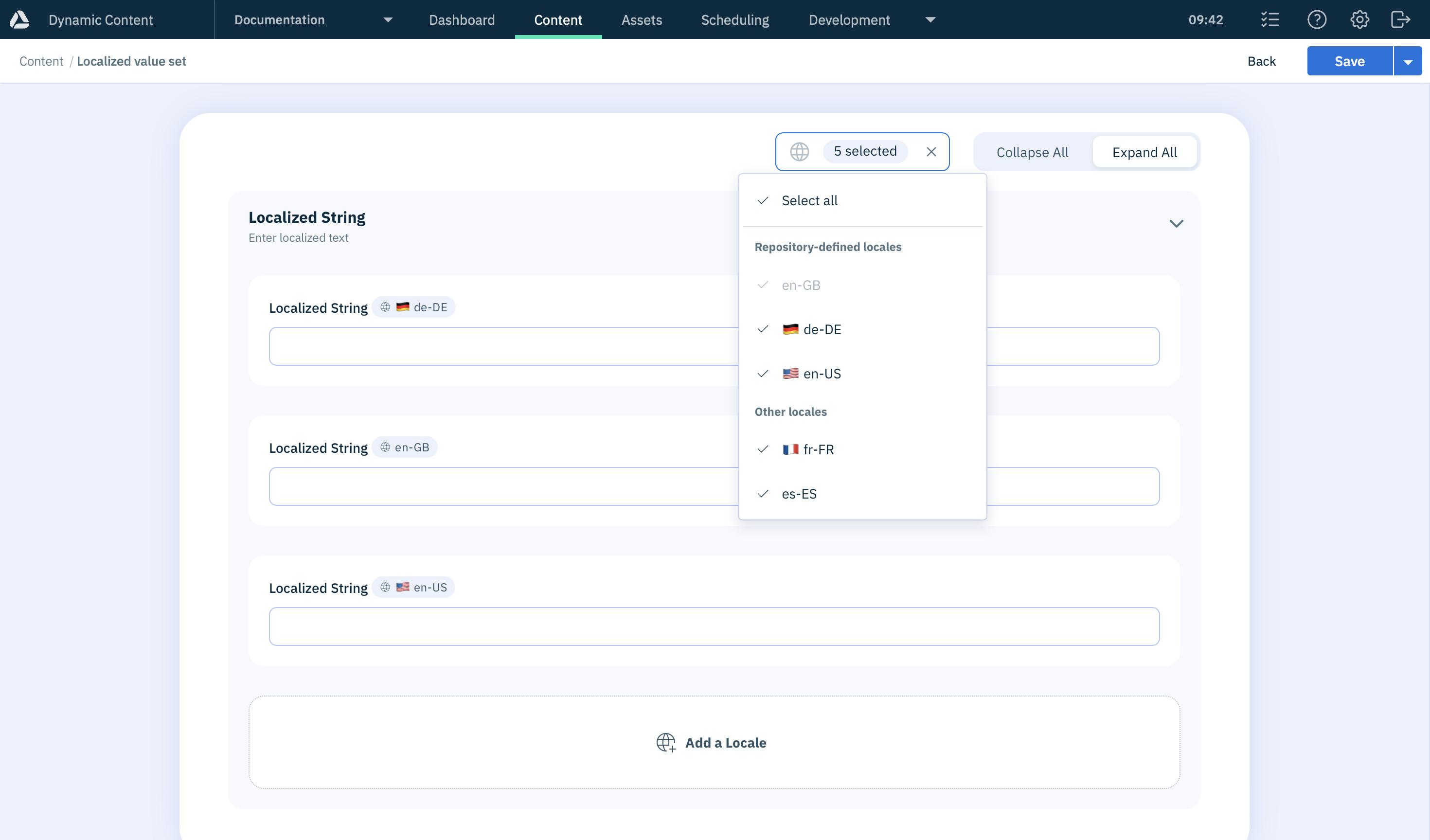
We've updated the localized value set component so that you can now choose to initially show only the locales assigned to a repository, rather than a developer needing to define the default (or pinned) locales in a content type schema. This new feature makes it easier for content producers, particularly those working in multiple repositories, to focus on adding content for only the locales that they're working with.
An additional parameter allows developers to specify that the locales shown by default should be those assigned to the content item's repository. See the Localized value set reference for more information. Note that this feature also requires Repository locales to be set.