Content navigation and selection improvements
Release date: 6th May 2026
This Dynamic Content release brings improvements to help you navigate your content forms faster, and select content across multiple pages.
Navigate forms faster with section dividersLink copied!
You can now use dividers in Dynamic Content forms to quickly navigate long forms.
A new Go to menu is automatically generated from section dividers in forms, allowing you to jump directly to specific sections.
The menu lists divider names in the same order as they appear in the form, and includes dividers within tabs, making it easy to find what you need.
No changes are needed - existing forms with dividers will automatically include the new Go to menu.
Note
The Go to menu includes entries only for top level section dividers. Dividers nested under other dividers, and those within lists, do not generate menu items.
If there are validation errors, the Go to menu temporarily switches to error navigation to help you quickly locate and resolve issues.
Select content across multiple pagesLink copied!
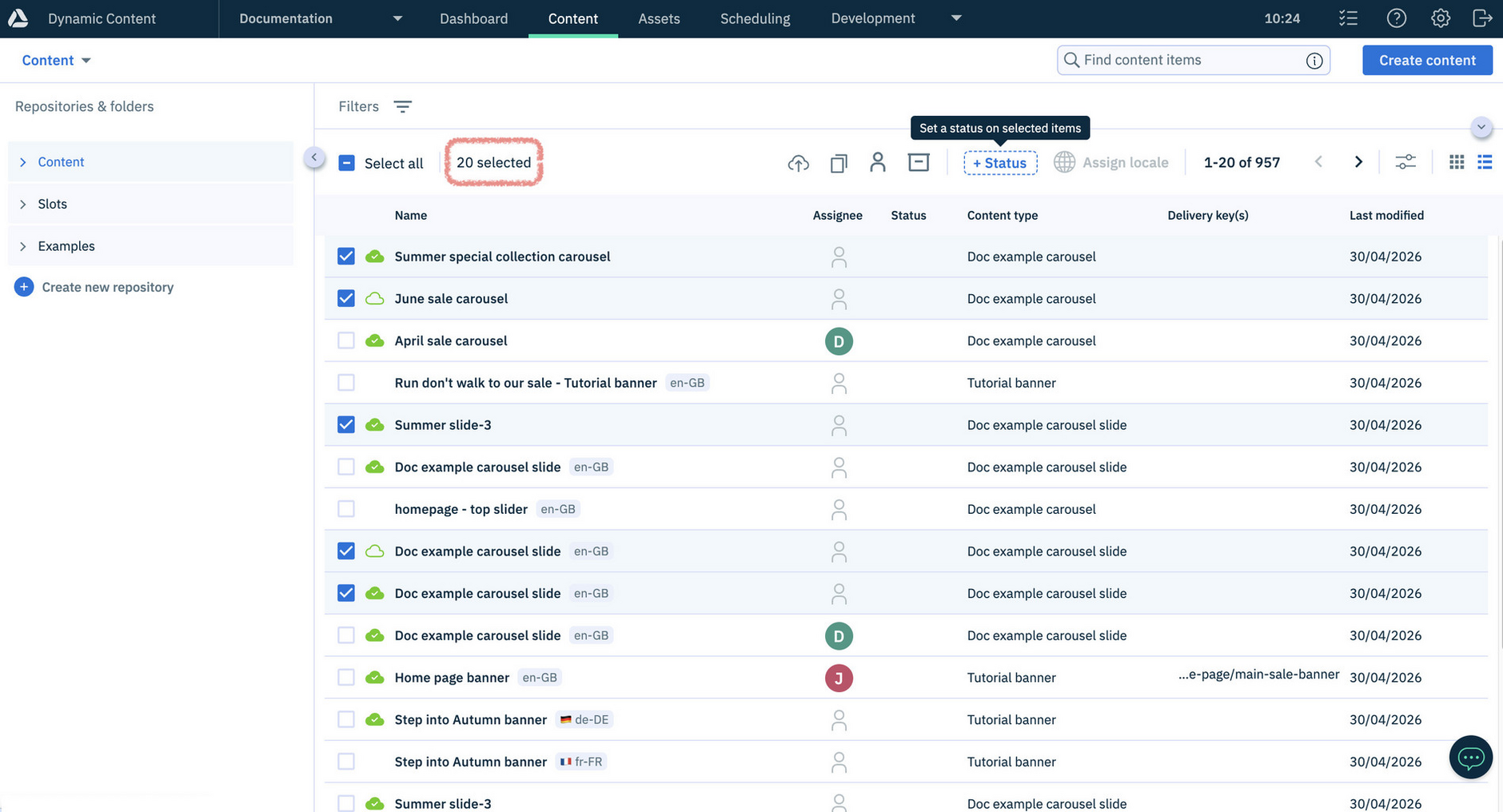
You can now select content items across multiple pages in the content library, making it easier to perform bulk actions such as copying, setting status and archiving. In addition, you can select across multiple pages in content choosers, for example when creating linked content or adding content to editions.
Up to 20 items can be selected across different pages.
Simply select items on one page, then continue browsing or searching to add more to your selection. A running total of selected items is displayed, so you always know how many items are included.
For example, you can select items from multiple pages and update their status in a single bulk action, as shown below where 20 items are selected.
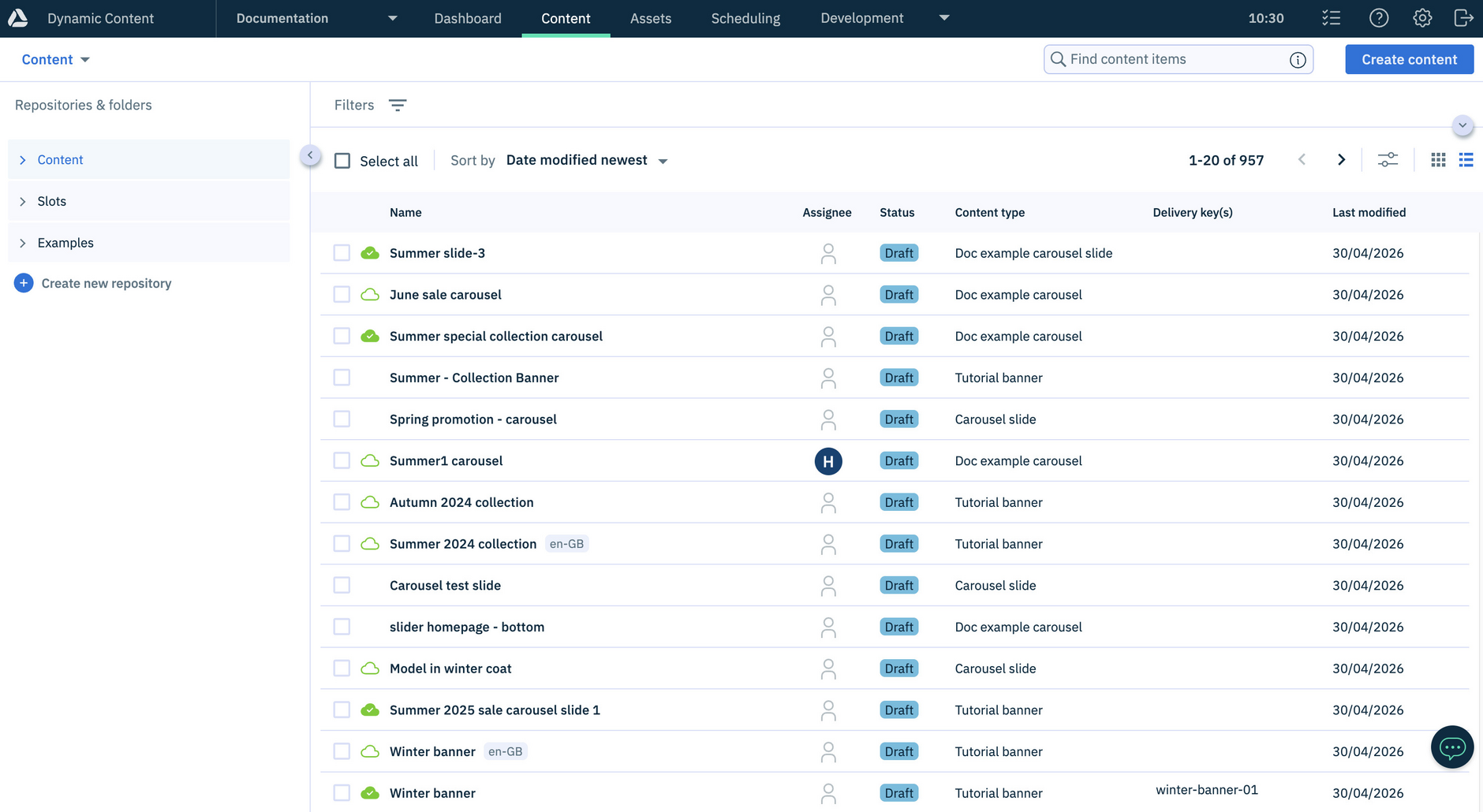
After completing an action, you can quickly find the updated items by sorting the library by Date modified newest. The example below shows the 20 items whose status has been set to Draft.
For more information, see selecting content across different pages.