Open in new tab, and revision history update
Release date: 27th May 2026
This Dynamic Content release brings updates that let you open content directly in new tabs, and quickly find the last published version in the revision history.
Opening content in new tabsLink copied!
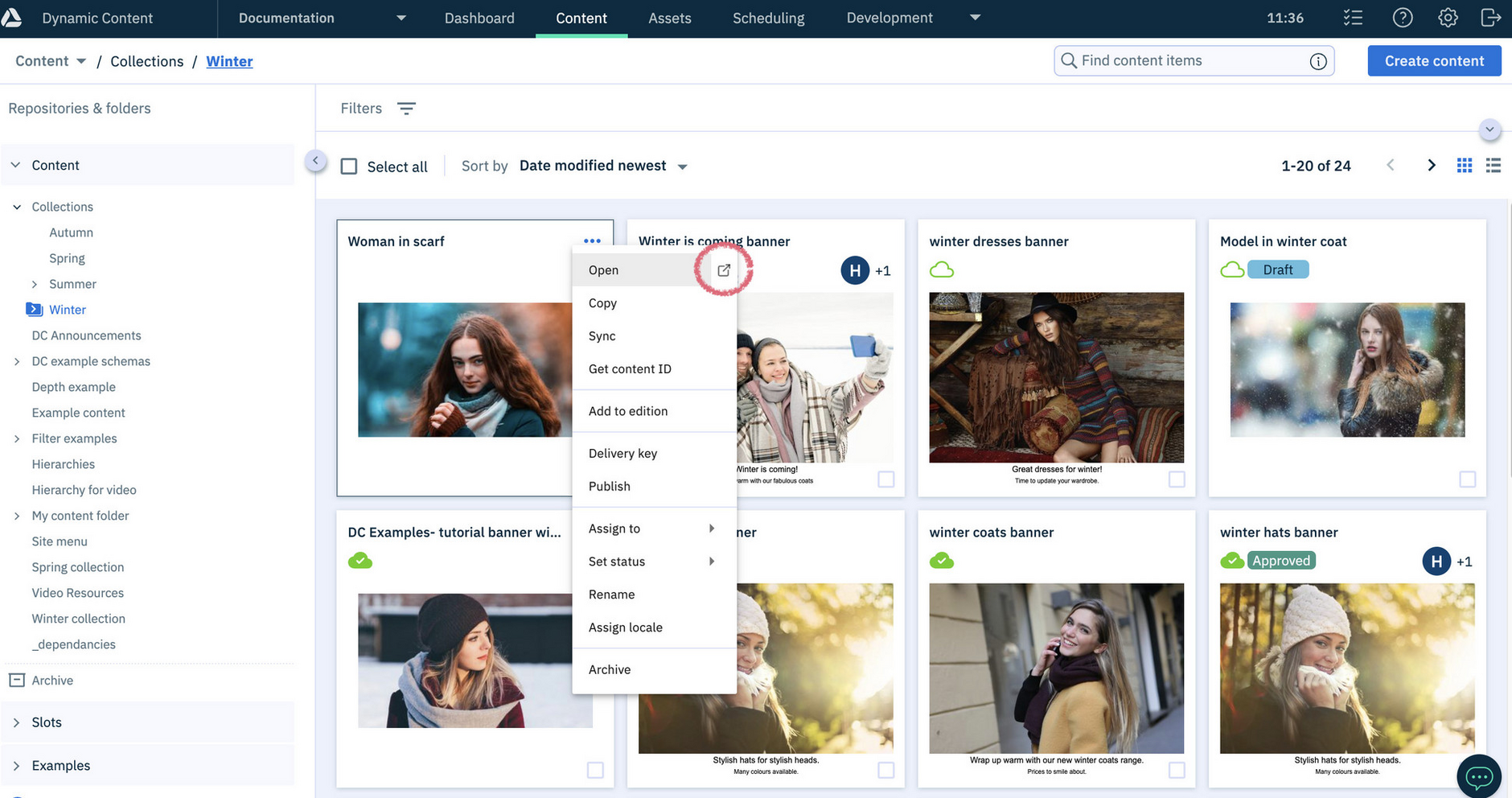
You can now open content in a new tab - directly from the content library - using the new "Open content in new tab" menu icon:
Finding the latest published revisionLink copied!
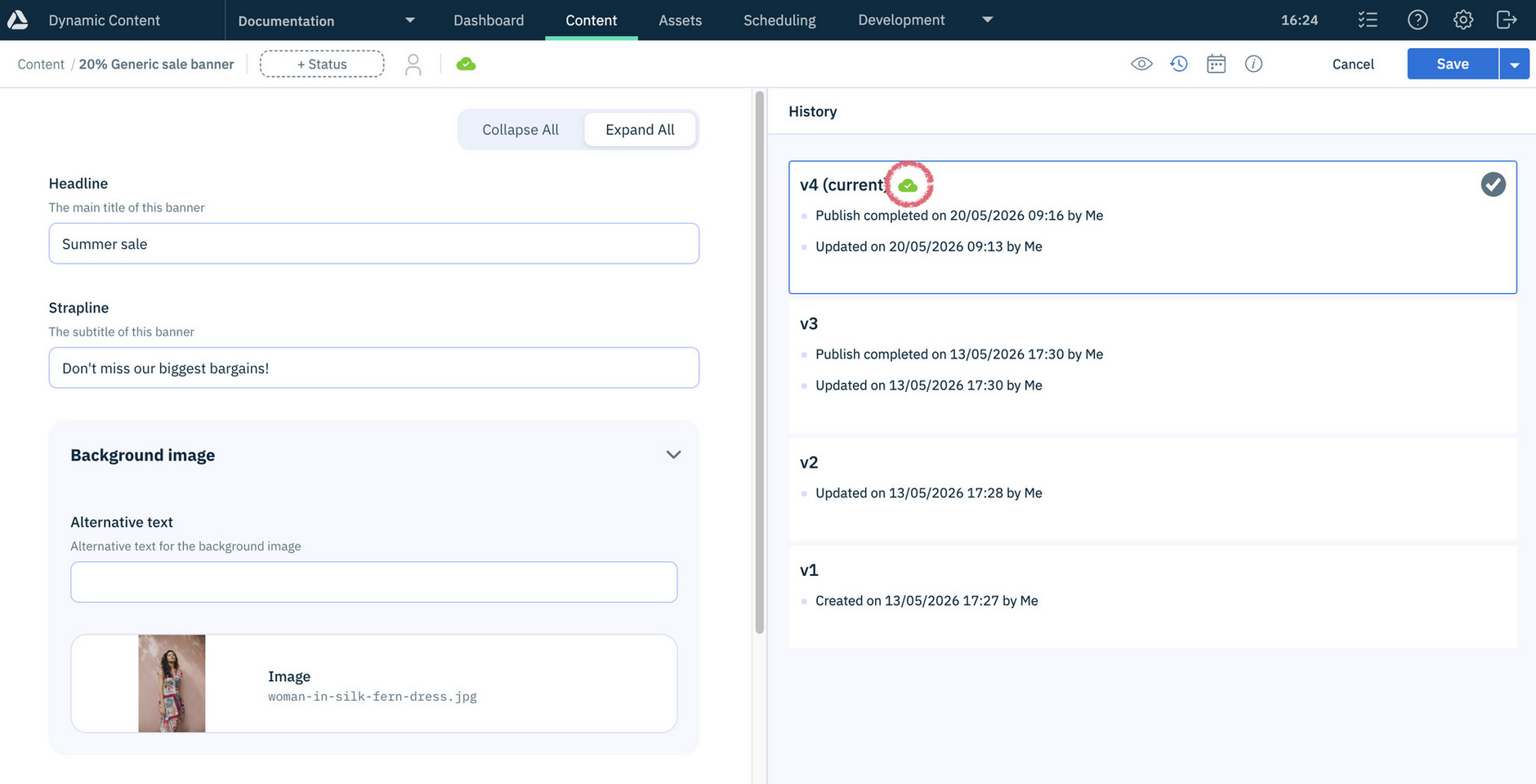
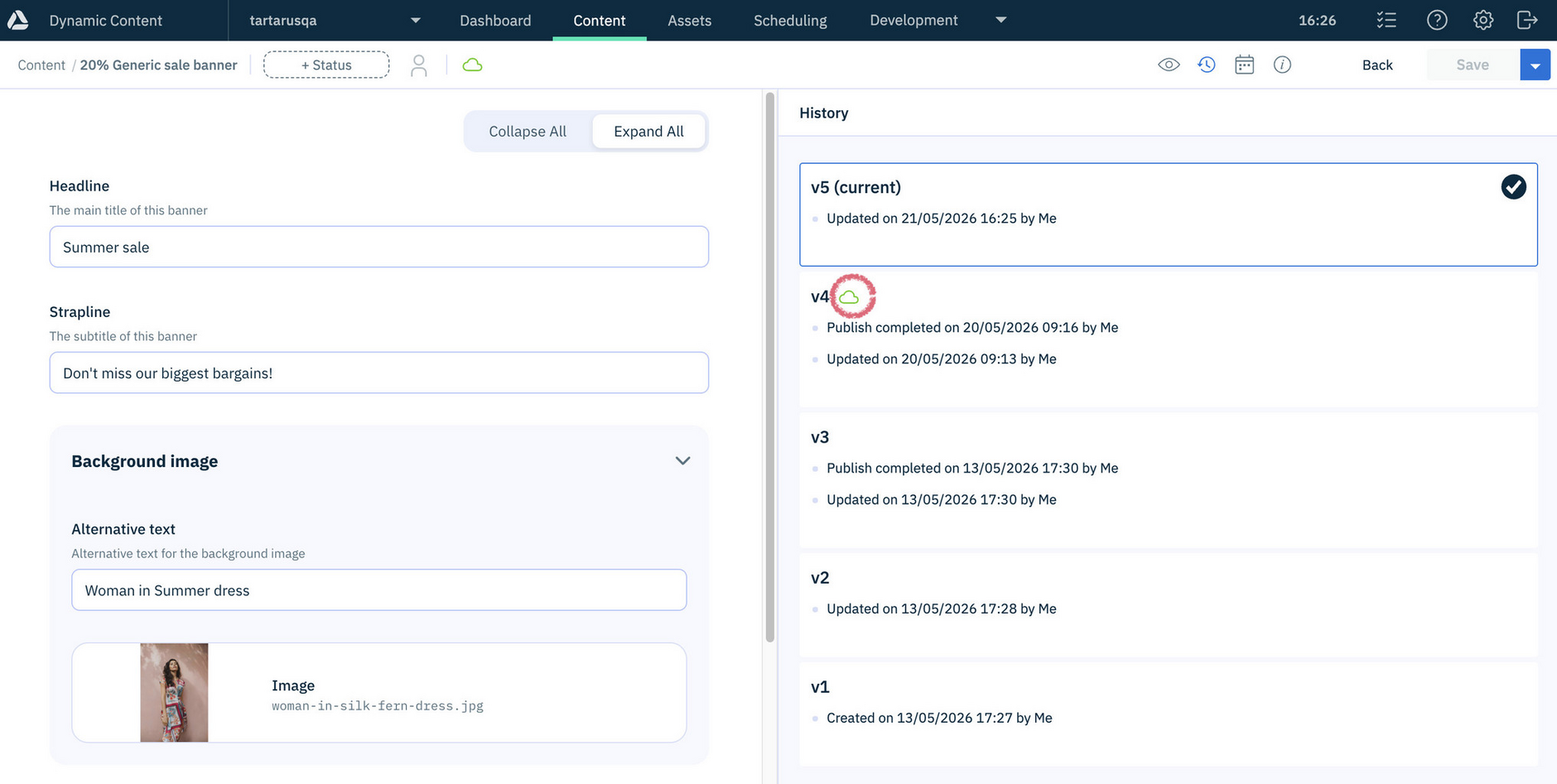
In the Dynamic Content revision history a new Publish status icon now marks the most recently published version.
Here the publish status icon shows that the most recent version of the content is the published version:
When changes are made to a published content item, the publish status icon in the revision history updates to identify that an earlier version of the content is published - not the latest version.
Related pagesLink copied!
Opening, viewing and editing content