Automate content with Workforce Flows
Release date: 4th March 2026
Workforce now includes Flows, enabling you to connect and automate tasks across your content creation processes.
With Workforce Flows you can automate and control content and image workflows across your systems. You can trigger processes from events, generate and transform content, apply AI-powered enrichment, standardize and optimize assets, and update or export content to other platforms.
Video- introducing Workforce FlowsLink copied!
Watch the video below for an introduction to see just some of what Workforce Flows can do for you.
What is a Flow?Link copied!
Flows combine AI actions with optional human review to create repeatable, efficient workflows that transform the way in which you create content.
For example, instead of manually standardizing product images, you can build a flow to automatically adjust the images so that they conform to your brand's image style. You can see how to do this in our Product image standardization example.
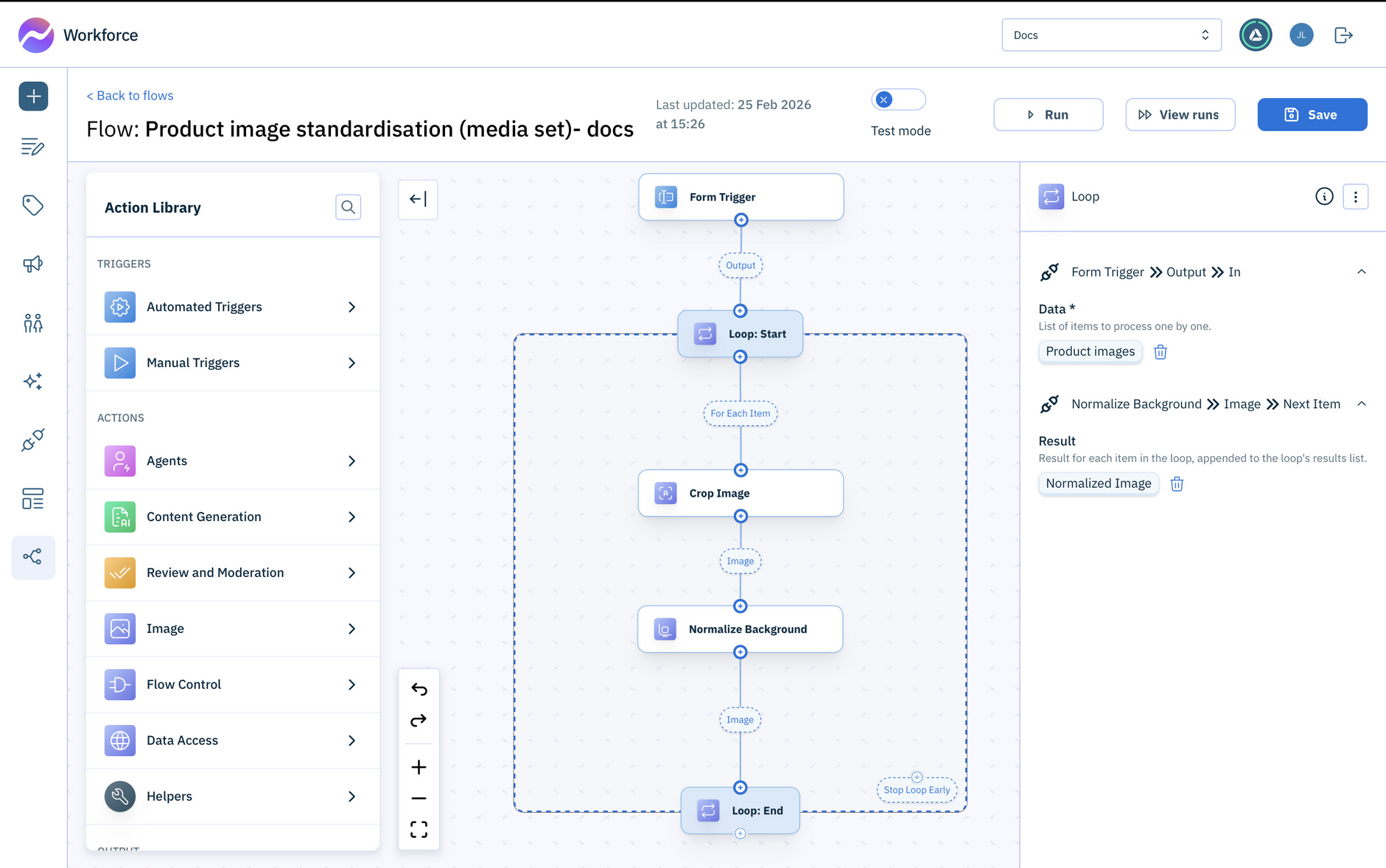
Each flow is made up of connected actions that perform specific tasks, such as content creation, approval or publishing. Special types of actions, called agents, make flow design even simpler by combining related steps or actions together.
How Flows help youLink copied!
Workforce Flows help you control, automate, and monitor your content workflows.
Control when work startsLink copied!
Use manual or automatic triggers to suit different workflows. Both ways are controlled using triggers.
Automate processesLink copied!
Reduce manual effort by linking standalone tasks into end-to-end processes. Browse our example flows.
Track progress and visibilityLink copied!
View when flows run, which actions are performed, and their outputs. Learn more about using flows.
Keep human review in the loopLink copied!
Ensure quality through the process.
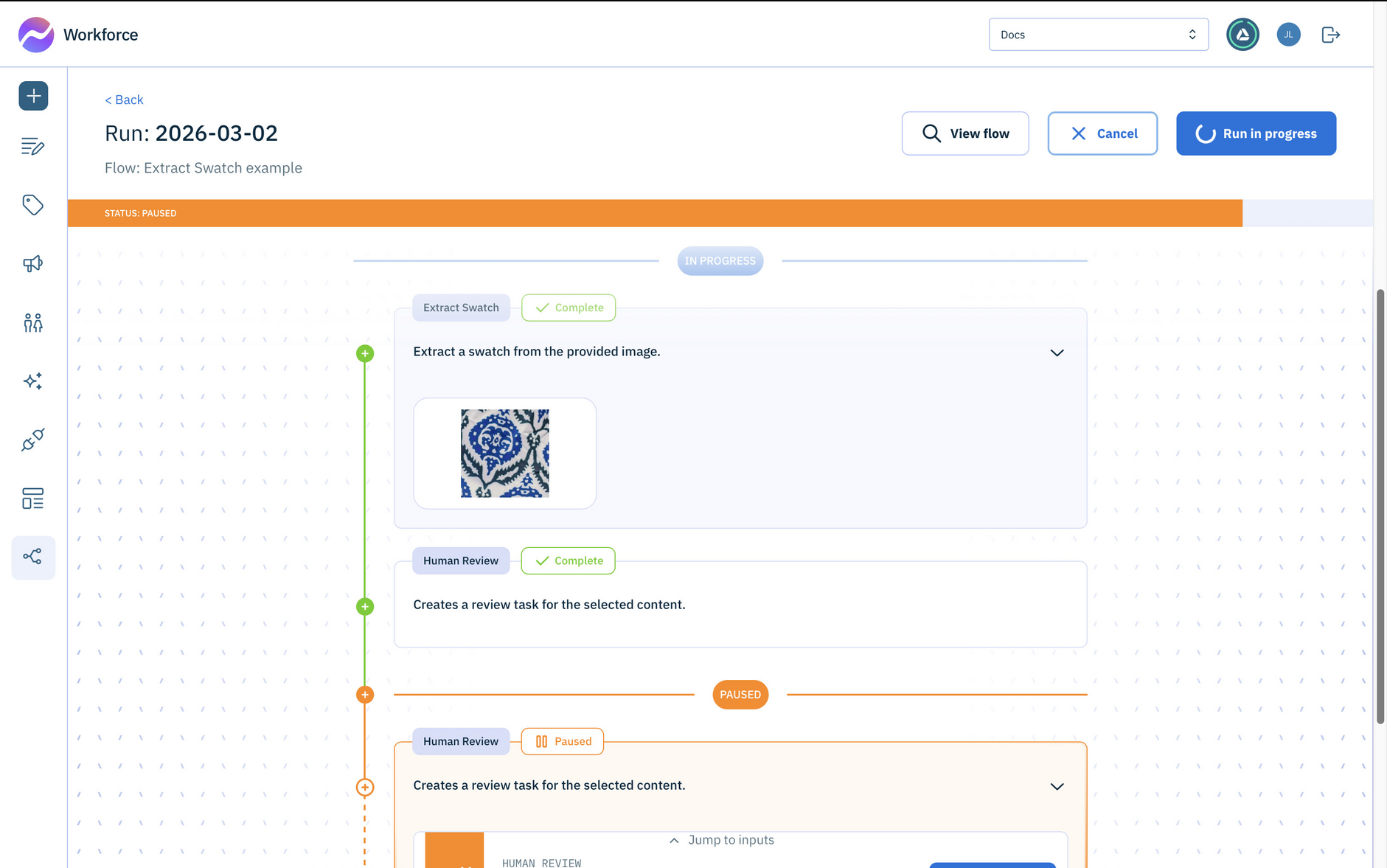
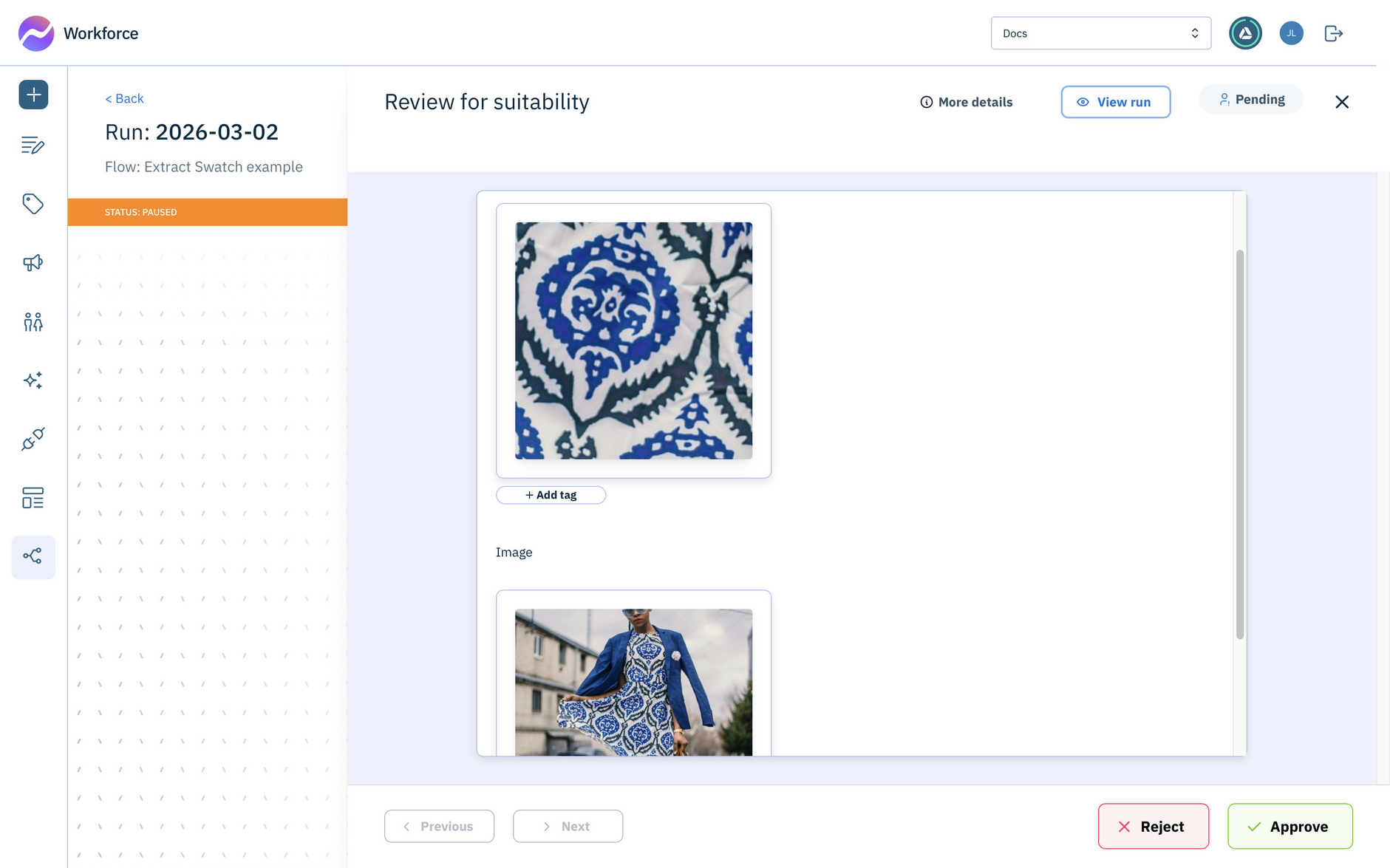
For example, this flow extracts a swatch from the most representative part of an image and includes a human review of the generated swatch.
The Human Review action shows the swatch alongside the original image so it can be checked for suitability. Find out more about flow reviews.
Integrate with existing data sourcesLink copied!
Allow flows to use your product, campaign, and asset data directly. Explore Integrations.
How to get Workforce FlowsLink copied!
If you're interested in using Workforce Flows, it's available as an additional feature. To have it enabled on your account, please contact your Account Manager.