Rekognition actions
The AWS Rekognition extension provides actions for searching and identifying faces in images within Workforce flows. Use these actions to perform facial recognition against a configured Rekognition collection as part of your automated content processes.
You can install this action extension from the Workforce integration marketplace.
Tip
These action descriptions cover the most commonly used inputs and outputs. When designing flows, you may also notice additional input and output variables.
PrerequisitesLink copied!
The Amazon Rekognition extension uses AWS credentials and a Rekognition collection for authentication. Configure the following environment variables before using the action.
| Variable | Type | Required | Description |
|---|---|---|---|
AWS_REGION | string | Yes | The AWS region used by the extension. |
AWS_REKOGNITION_KEY | string | Yes | The AWS Rekognition access key. |
AWS_REKOGNITION_SECRET | string | Yes | The AWS Rekognition secret key. This value is write-only. |
AWS_REKOGNITION_COLLECTION_ID | string | Yes | The Rekognition collection ID used for face search. |
For details of how to obtain these authentication credentials, see the Amazon Rekognition documentation.
Supported AWS regionsLink copied!
The AWS_REGION setting must use one of the regions supported by the extension, for example us-east-1, us-west-2, eu-west-1, eu-west-2, or ap-southeast-1.
Search faces by imageLink copied!
Searches for faces in an image and returns matching faces from the configured Amazon Rekognition collection.
Inputs
| Field | Type | Required | Description |
|---|---|---|---|
imageUrl | string | Yes | URL of the image containing faces to search. |
Outputs
The action returns the matching faces found for the supplied image, together with information about the searched face and the face model used.
| Output | Type | Description |
|---|---|---|
FaceMatches | array | A list of face match objects. See Face match object below |
FaceModelVersion | string | The version of the face model used for the search |
SearchedFaceBoundingBox | object | Bounding box of the face used as the search input (Height, Left, Top, Width) |
SearchedFaceConfidence | number | Confidence score for the face detected in the input image |
Face match object
Each entry in the FaceMatches array contains the following fields:
| Field | Type | Description |
|---|---|---|
Similarity | number | Similarity score between the searched face and the matched face |
Face.FaceId | string | Unique identifier for the matched face |
Face.ImageId | string | Identifier of the image containing the matched face |
Face.ExternalImageId | string | User-defined identifier associated with the matched face's image |
Face.Confidence | number | Confidence score for the matched face |
Face.IndexFacesModelVersion | string | Version of the model used when the face was indexed |
Face.BoundingBox | object | Bounding box of the matched face in its source image (Height, Left, Top, Width) |
Example output
Example
Here's the Search faces by image action in use.
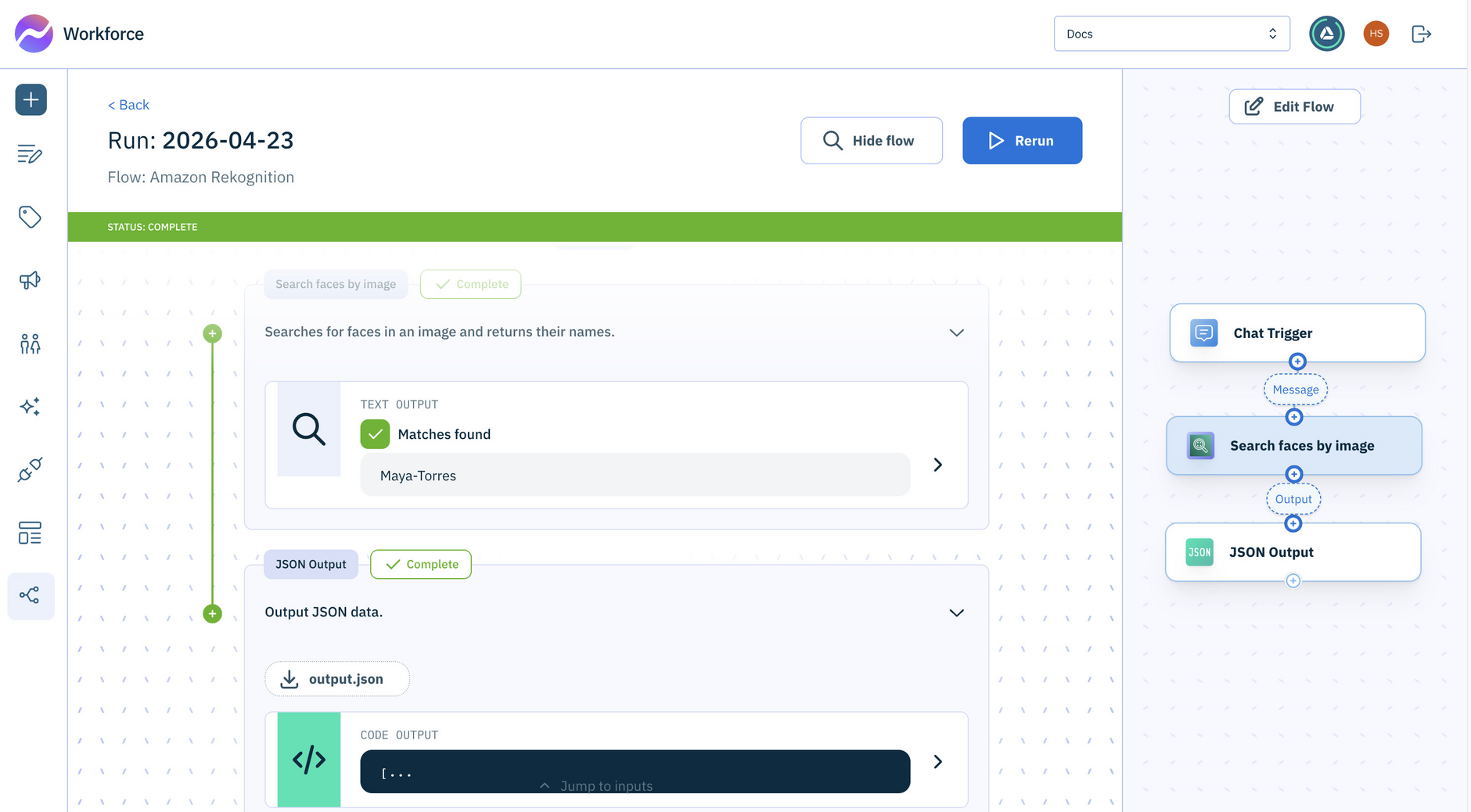
Passing an image link to this action
To dynamically enter an image link each time the flow runs, set the Image URL field to use an output variable from another action, such as a trigger. If the image link is entered in the field and saved with the flow, the flow will always check against that specific image.