Scheduling with Next Gen features- switchover
Release date: 23rd February 2026
With this release, Next Generation features are switched on by default for Dynamic Content scheduling, giving you a consistent experience across scheduling without needing to take any manual action.
Next Generation features in schedulingLink copied!
Next Generation features are now shown by default on the Editions and Edition conflicts screens in the Scheduling tab. These include enhancements such as compact cards and drag-and-drop functionality. For more information, see Next Gen look and feel.
Editions screenLink copied!
On the Editions screen, you'll notice Next Generation 'look and feel' features when working with slot content.
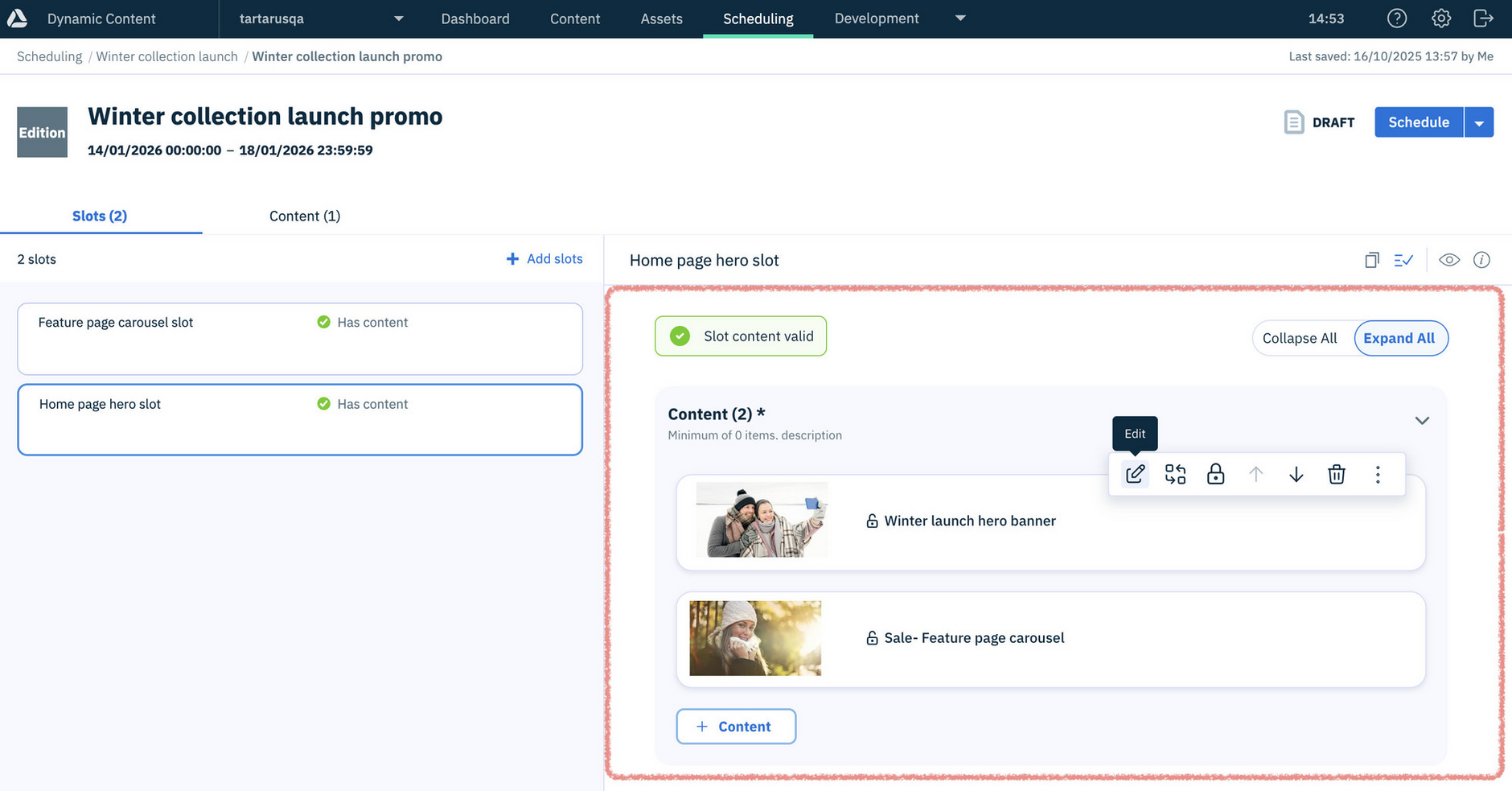
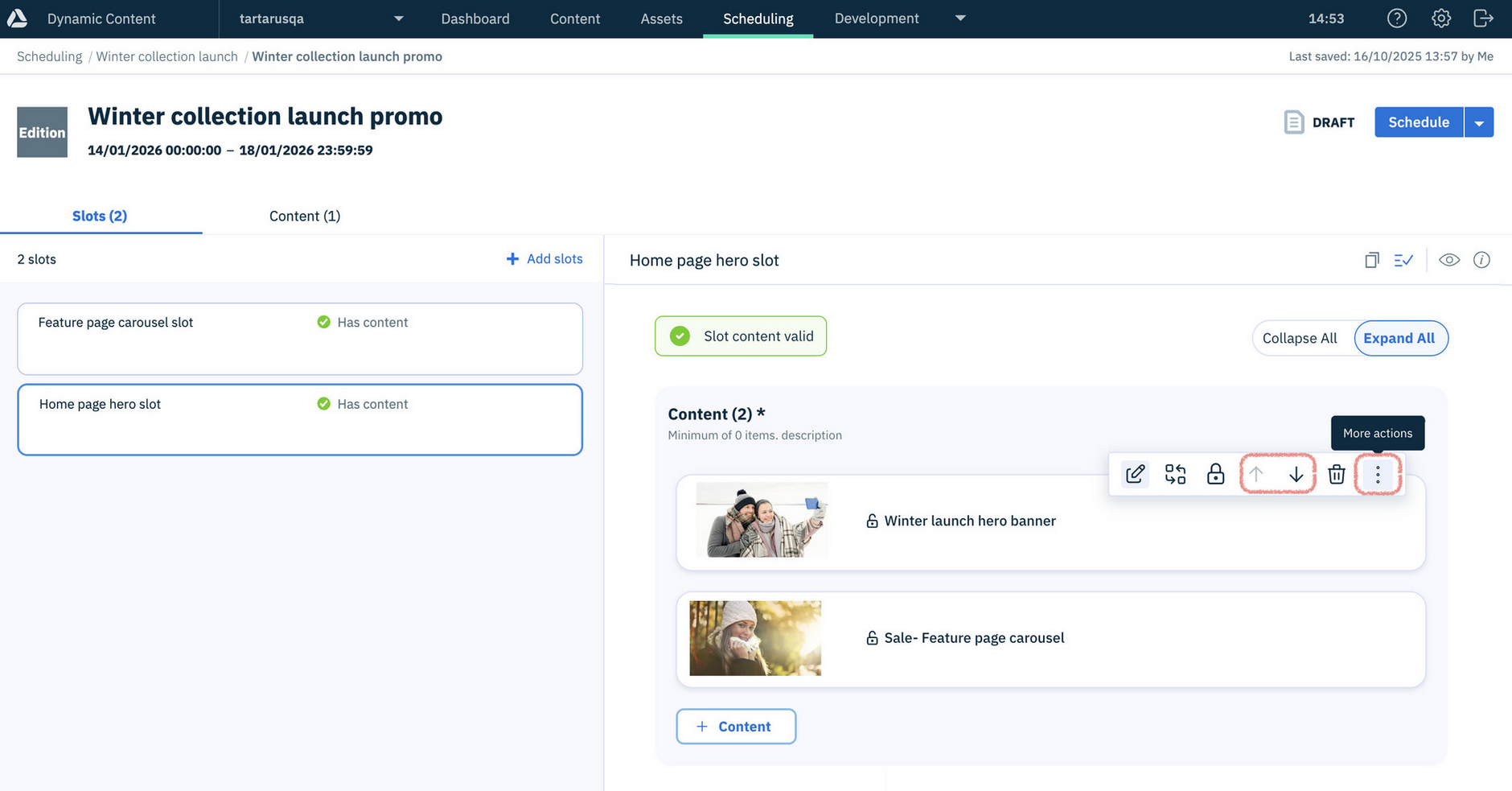
The enhanced look and feel provides a more intuitive experience, making it easier to find validation errors, and arrange slot content using actions to add items above or below, and move them directly to the top or bottom.
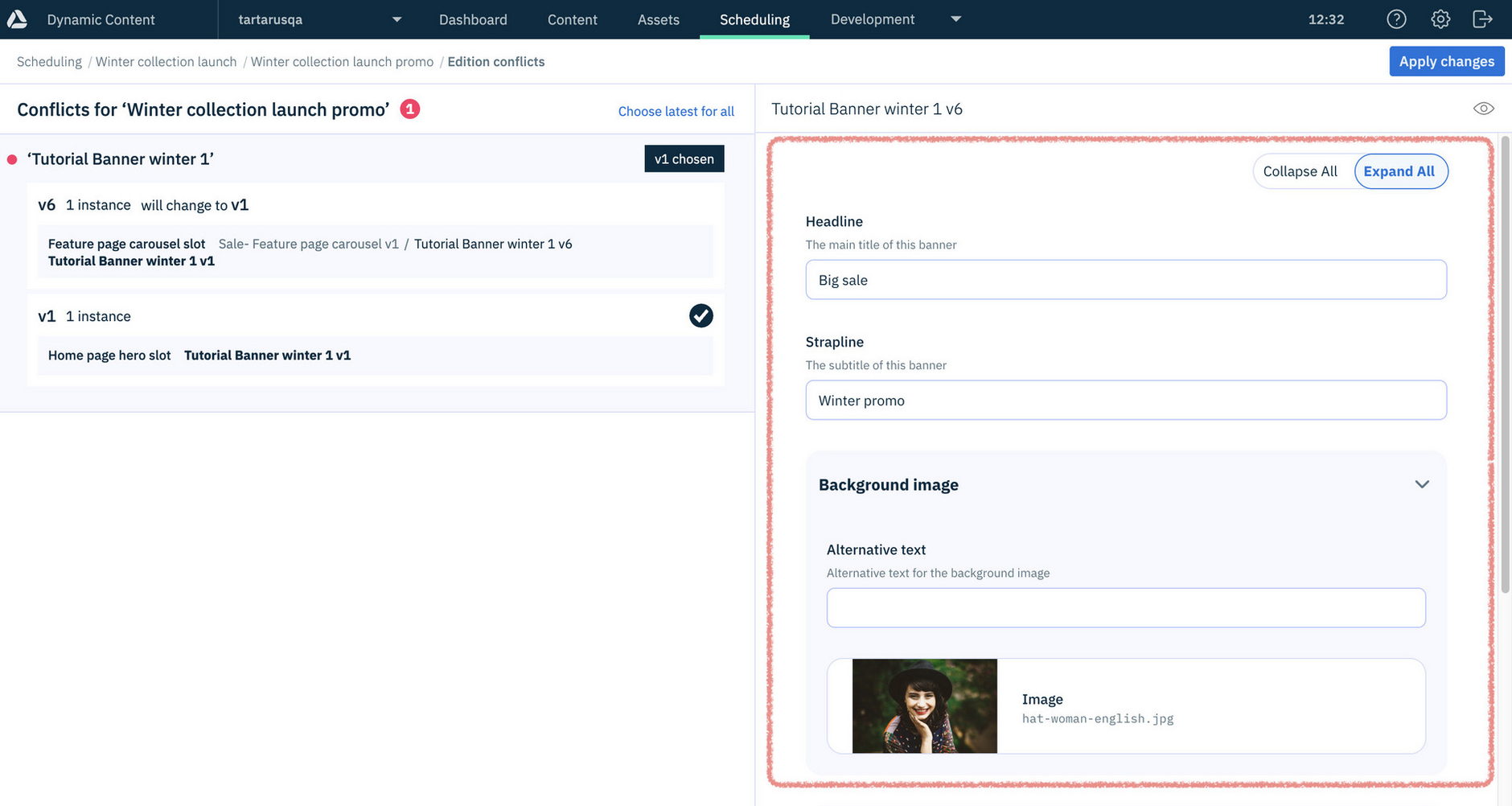
Edition conflicts screenLink copied!
On the Edition conflicts screen - the enhanced look and feel is used when you open a version of content.
Switching to scheduling with Next Generation features
With this update you still have the option to switch Next Generation features off for scheduling. However, we encourage you to keep it switched on and take advantage of its benefits.
What does this release mean for you?Link copied!
You don't need to do anything, we're just letting you know that scheduling with Next Generation features is now switched on by default for you.
As a content producer or publisher, you'll notice that your scheduling experience has an enhanced 'look and feel'. You can carry on working as usual without any disruption.
If you're a developer, or you've already switched to using scheduling with Next Generation features, you won't notice any change as a result of this release.
About this switchoverLink copied!
We really hope that you want to use scheduling with Next Generation features, and don't need to revert to the previous scheduling experience.
If you experience issues when scheduling with Next Generation features, you can switch it off and get in touch with us so we can help you. Find out more about how to switch off the Next Generation experience.