Scheduling- search and sort enhancements
Release date: 25th February 2026
This release includes enhancements to help make working with events and editions in Dynamic Content scheduling easier and more intuitive.
Search for events and editionsLink copied!
You can now find events and editions more quickly in the scheduling Timeline and Calendar views using the new search bar.
The search lets you find events and editions by name, helping you find what you need.
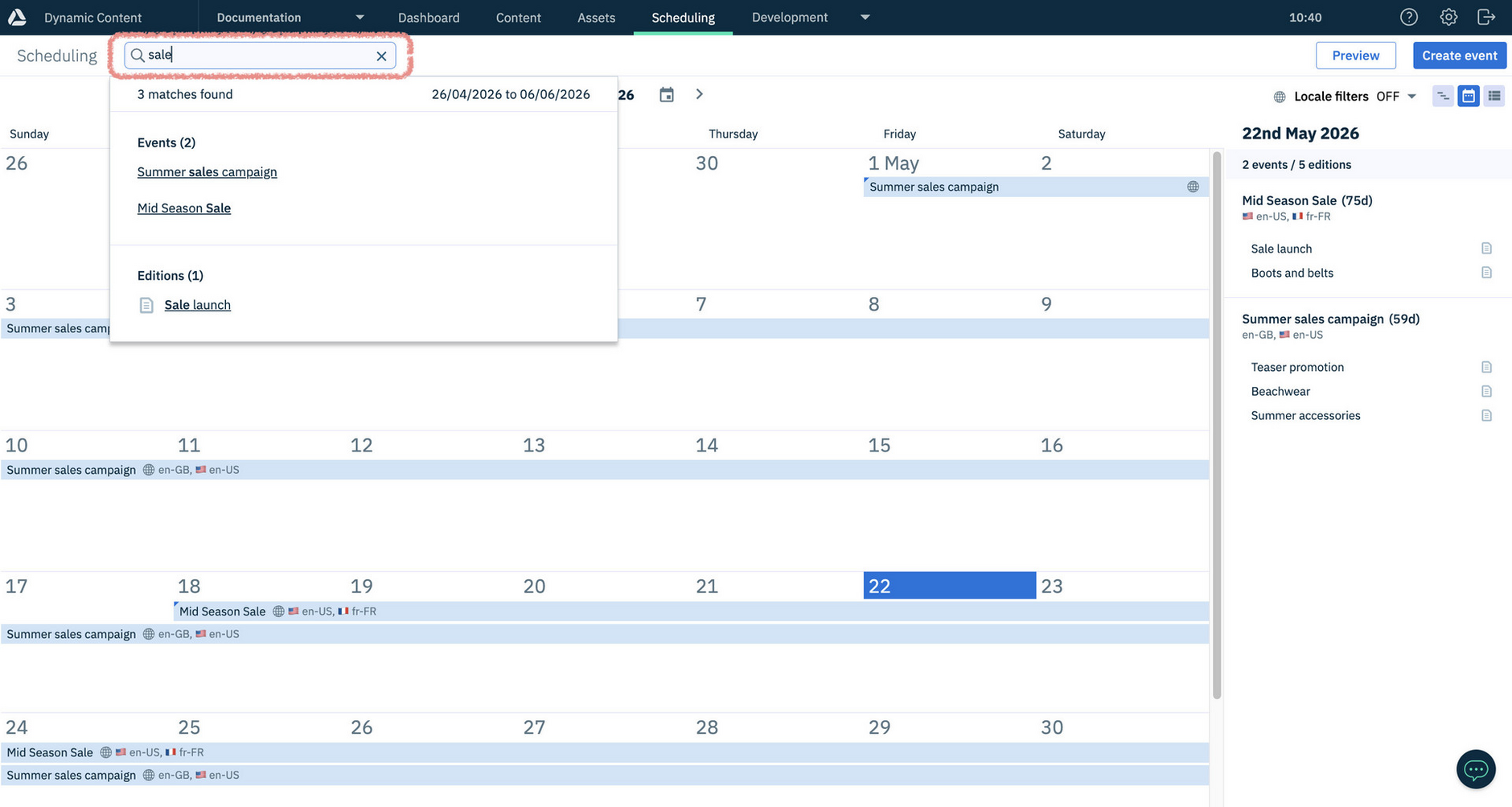
Search returns results for the timeframe shown in the current view:
-
Calendar view - Results are for the full month currently displayed, plus a couple of days either side
-
Timeline view - Results are for the currently selected timeline range
The search results are clickable, taking you directly to the event or edition you want. Searches are not case-sensitive, do support special characters, and will find close matches so names don’t need to be an exact match.
Sort slots within an editionLink copied!
You can now sort slots within an edition in Dynamic Content Scheduling.
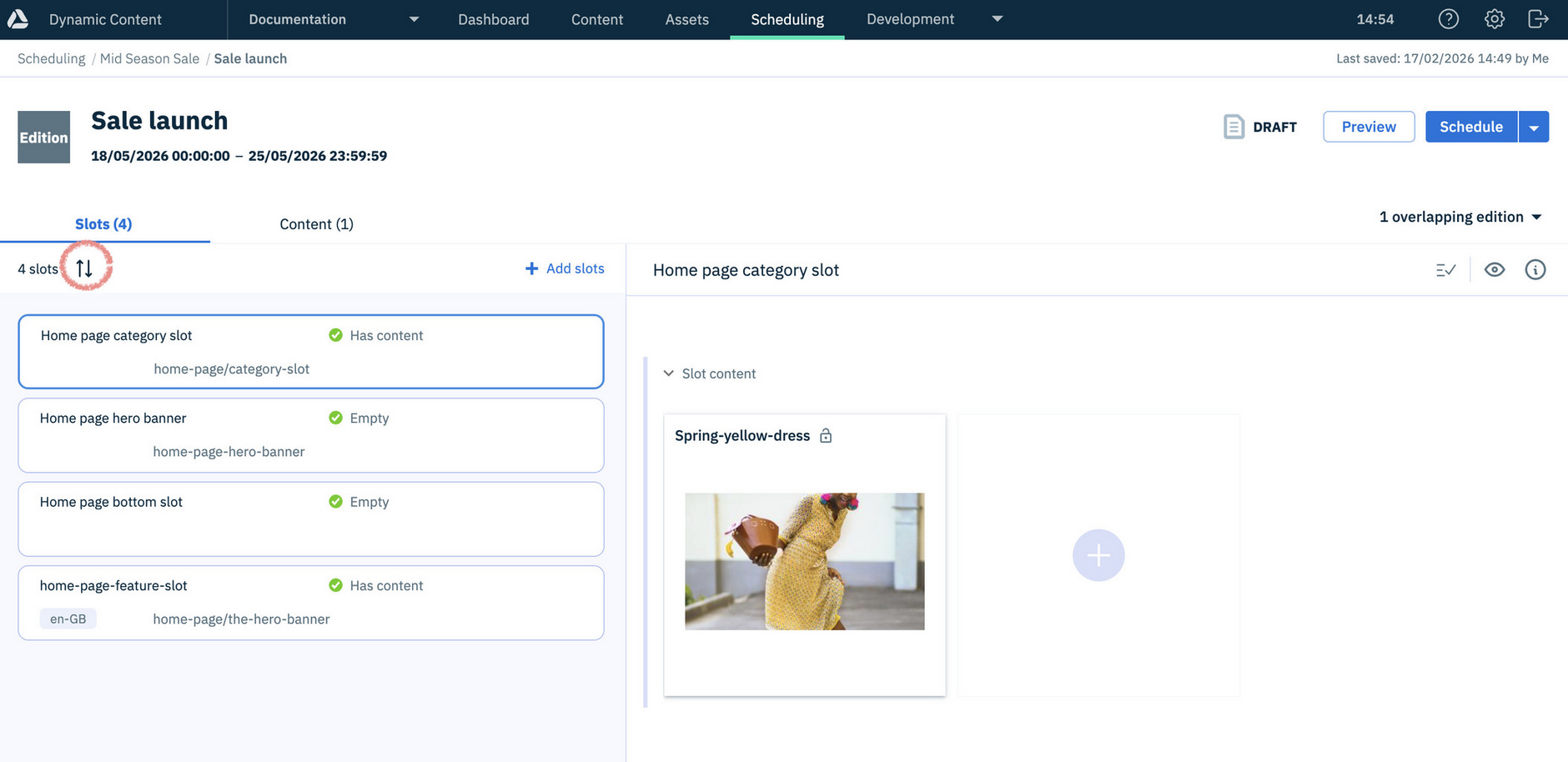
Sort options help you quickly identify issues with slot content by surfacing what needs attention - such as slots that are empty or require content but don’t yet have any.
The default sort order of slots in editions is to show Last added at the top. Other sort options include First added (top), Slot name (A–Z) and Slot name (Z–A).
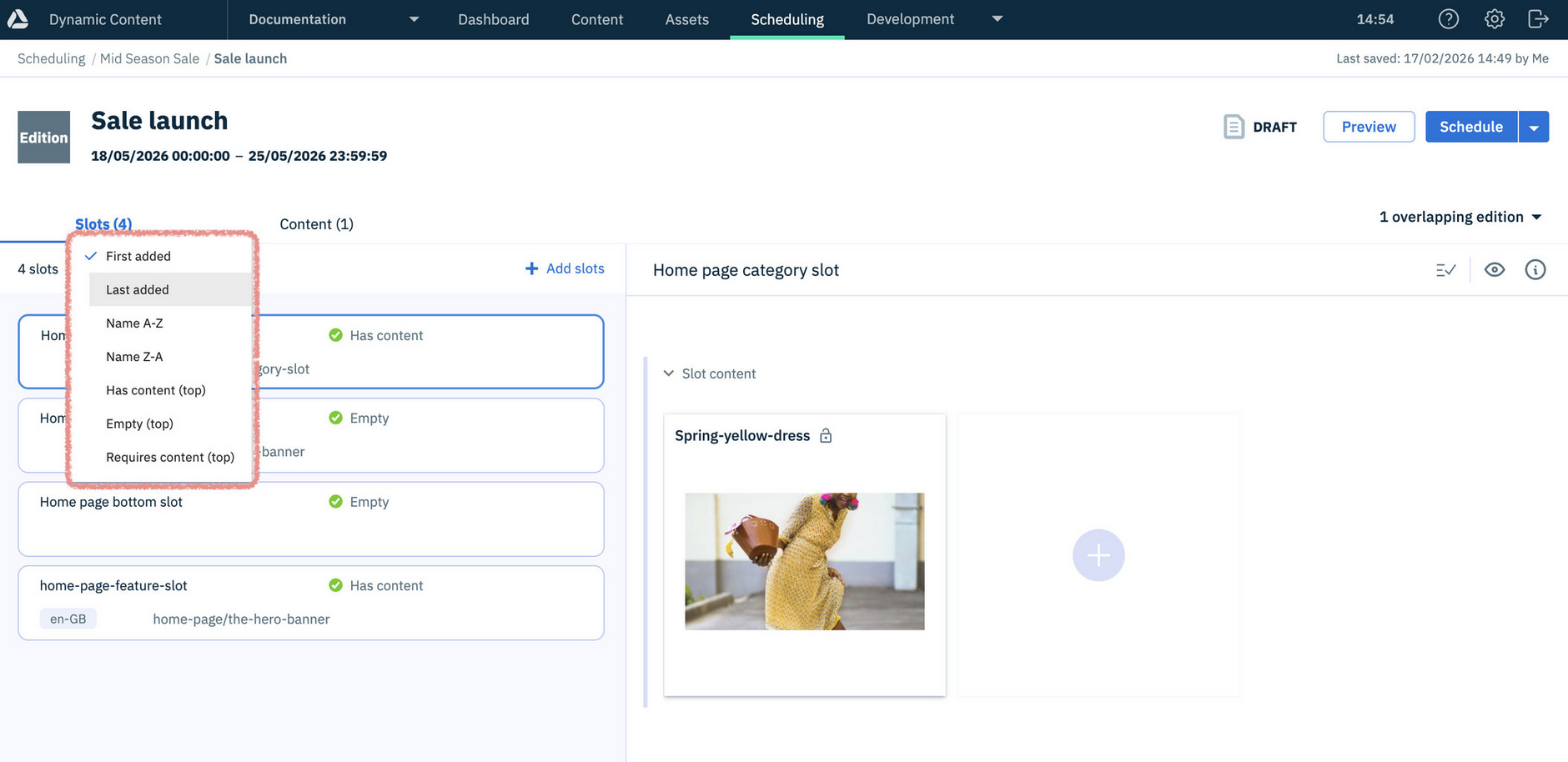
Your selected sort order persists while you work, including when adding or removing slots or content, and resets when you leave the edition, leave the Scheduling tab or log out.